Collection: Lighting Education

    Planning Out Your Installation

    HebronBaptist
    Working out a plan for designing a permanent installation can be a daunting task. There is a lot to think about, especially since this is not a one and done job. This is going to be around for a long time and your efforts will be reflected in the outcome for years to come. No pressure here! Here are a few suggestions for getting off on the right track with your job.
    1. Figure out your budget and end goals. Have a clear vision of what you want to achieve and when you want it done by.
    2. Find a good consultant. There are people out there who do this kind of stuff for a living. Work with them to find a solution that best suits your needs. If you have questions, ask.
    3. Understand from the start that there will be delays in the process along the way. Some of these delays are good, some are not so good. Either way, they are going to happen, so prepare for it by under promising and over delivering.
    4. Specify products that are designed to last for a long time. Stay away from inferior products.
    5. Think in and set milestones. Work with your consultant on figuring out what needs to be done by when.
    6. Hire a professional installation team. Installation work needs to be as perfect as possible. If you don’t think you have the amount of experience it takes to get the job done, hire someone who does. This will save you a ton of time and money in the long run.
    7. When the installation is nearly complete, bring in your operational crew and start training. It is always an advantage when your crew can get some time with the installers to learn how your gear should work.

    Lord of Life  6

    If your installation is a long term project and you budget depends on installing in phases, I highly recommend the following three phases
    Phase 1 – Get the installation open. Since you have an overall plan of what your finished project will look like and consist of, get your complete infrastructure installed. All of your electrical lines, data lines, and networking needs to be done in phase 1. Any rigging points should also be added in here. I suggest this so that as move forward in additional phases, your backbone is already installed. While the cost of installing all of the electrical and communication lines might be high, they will be higher down the line if you have to take gear down to add in additional power and data. Same goes with rigging. The more you do on the initial installation, the easier it will be to add in lighting and AV gear down the road. In phase 1, you will have a basic lighting and audio package. This is designed to get your installation open. This package may not include any moving lights, just the front, side and rear lighting that you need so that your stage is not dark and enough audio so that your audience can hear what your talent is saying and that the band can be heard. You may even choose to rent gear knowing that you are going to purchase later. Sometimes renting gear might be a better long term solution depending on your situation. If you want to stay on the cutting edge of technology, then renting is the way to go. If you are content with setting up a rig that your crew can learn and use easily, then purchasing is a better option.Lord of Life 4
    Phase 2 – Add in more gear. You already have a basic lighting and AV package. This means that you have the essentials covered; now you want to start adding in fancy gear. In phase 2, if your project calls for it, this is where I would add in the video package. Whether it is video walls, or projection screens, this is where I would add them in. I would also add in any additional audio needs that are part of the project. Audio and video are big impact items. By adding them in during this phase, your clientele is going to notice a big change and is likely to stay interested in your project. If you are relying on donations for your budget, this is something to keep in mind.
    Phase 3 – This is where you finish up. Add in the moving light package here. By adding in the dynamics of moving lights, it puts the dot at the end of the sentence as far as your installation goes. Also, since you already have the rigging and electrical in place, you should be all set to add them in.
    By planning and sticking to your plan, your installation will be something that you can be proud of from the get go, then by adding in additional gear as your budget allows, you will be able to achieve your complete vision. Now go forth and build something cool.

    EmanuelBaptist3_300

    Getting More From Less – Positive Usage of Negative Space

    Under natural light, there is always shadow. Look around you and you will see that almost every object you look at has some kind of shading on it. This helps our eyes to define dimension. Without shadow, or negative space, everything would look flat and two dimensional. This is something to think about when you are designing lights for staging.

    IMG_3197


    Shadows from the tree on the left are casting over the wall and the ground.  This shadow provides us with negative space and helps our brain understand dimension.


    Having stereoscopic vision (or stereopsis) ensures that we can see in three dimension. Because our eyes are both facing forward, but are set of both sides of our head, each eye picks up different visual information and sends it to our brain. Try this…. Pick out an object look at it. Then close one eye and look at the object again. You will notice that the object looks slightly different and the dimension is gone. Our eyes are also trained to look for light and dark spaces to help us to determine what the shape is that we are looking at. By seeing the shadows, we can get a good idea of how big something is, what it’s shape is, and relative distance from one thing to another.

    Enough science. Let’s talk about practicality. In stage lighting, one of our goals is to get as much light from our light source to the object we are lighting as possible, typically. We talk about flat beams all of the time and how these beams get more light to the stage. This is absolutely true. Having a larger beam angle and either a tiny or non-existent field angle is always a good goal when picking a beam or spot fixture. So, with lights like this, how do we create definition with flat light? Take a walk through the woods during a sunny day. The sun creates extremely flat light, but you will notice that there are shadows all over the place. As light travels through the trees, shadow is created.  These shadows create a ton of definition on the ground and make your eyes really happy. Another example is a sports field. Stadium light is really flat and even when it hits the ground, but the players themselves create shadow so that your brain can see the dark spots on the ground and define dimension. We can do very similar things on stage with gobos and set design.


    When designing front and side light positions, many designers will use break up gobos to light their subjects in addition to wash lights. This will help to add in shadow and negative space on their subjects and help them to appear more natural. For this, I like foliage breakups. I will typically light a subject either from the front or the side with a foliage breakup, and have it slightly out of focus so that the shadows appear more natural. By making this addition, I am helping to make our brains think that the subject on stage has dimension and depth.


    The same goes for scenery. Having shadow on scenic elements helps your brain to define what the object is supposed to be. This means that if you are using painted flats, you have to paint in shadow to make the appearance of dimension. If your surface as actual texture and angles that create shadows, use them to your advantage. These breakups will make your set much more realistic. I also use gobos in hard focus coming in at steep angles to create areas of shadow and light. This helps to make the set more interesting and less two dimensional.

    gal_atmos_3


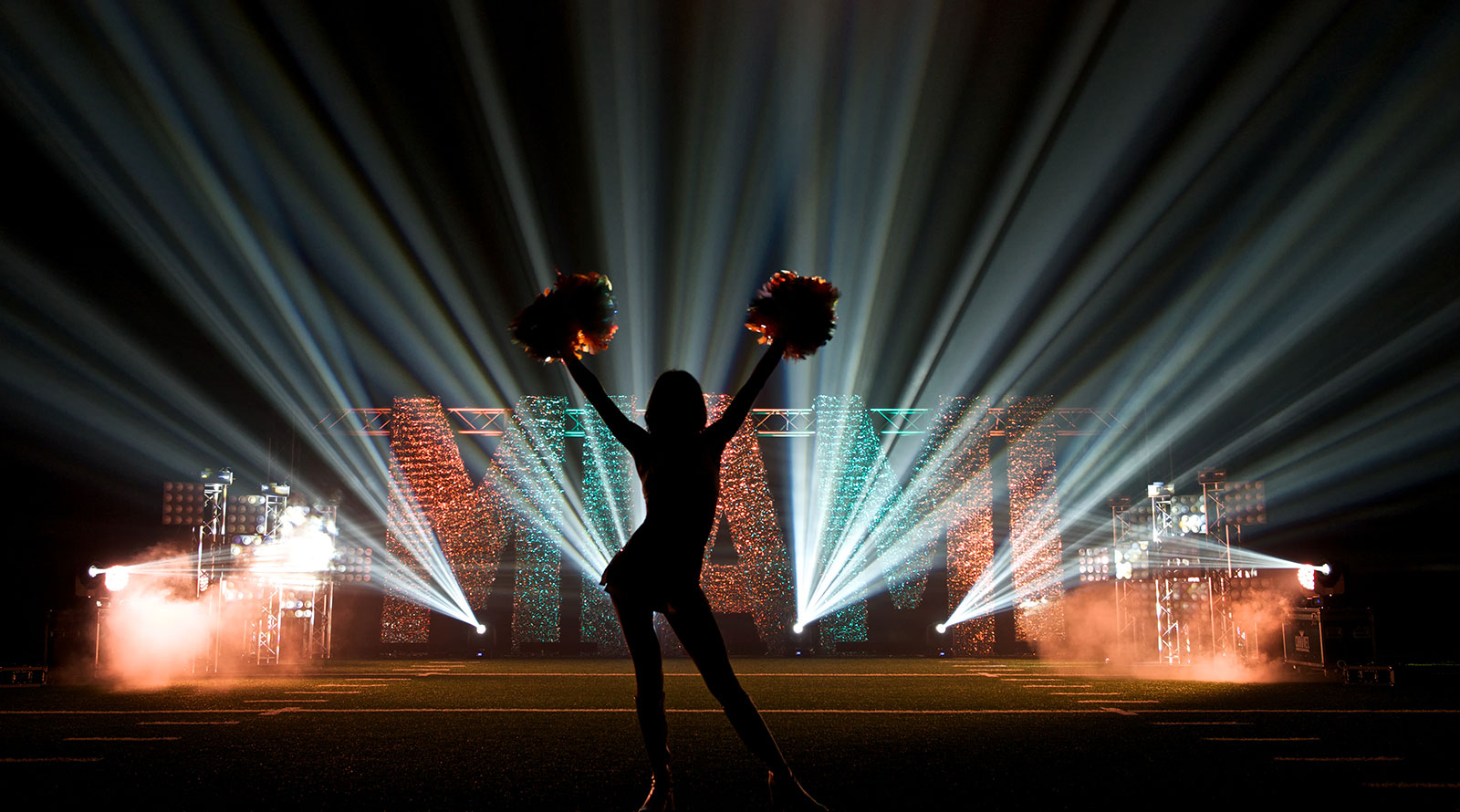
    The above shot shows great usage of negative space and texture.  The MIAMI sign has a shimmer texture on it.  The letters are uplit from an angle to get the most shadow possible to give it dimension.  The black background further adds contrast, then the silhouette creates additional negative space to add to the overall texture and create a very dynamic effect.

    By using shadows to create negative space, you will be actually making you scene appear more natural. Never forget that lighting in nature is rarely balanced and without dark spots. There are shadows everywhere, embrace them in your designs as you do in real life.

    Keeping Your Fixtures Organized – Numbering Your Plot

    During the design phase of your project, keeping yourself organized is critical to the overall success of the project. Knowing where your fixtures go is really important not only to you, but to the people who are building your rig. By following a few simple steps, keeping your fixtures numbered in order will greatly help your crew to build the rig as you envisioned it relatively easily.

    So, you have your structure designed. All of your trussing is in place and you have figured out your scenic elements. It’s time to start placing fixtures in your design. For me, the first things that I add in are my essentials. These are fixtures that I know I have to have to make my design work.   This would include any truss warmers and lights that I have to have to make my design work. After that, I add in the lights that will make my show look cool.

    This image is from our WYSIWYG design of LDI 2015. This is the circle truss that was in the center of our booth
    This image is from our WYSIWYG design of LDI 2015. This is the circle truss that was in the center of our booth.

    Once you have all of your fixtures placed, you need to go back and number them. The method that I use for this is a combination of fixture ID numbers, DMX addresses, and IP when we are using Art-Net enabled fixtures. On my plot, you will typically see three things, the name of the fixture, its ID number and its weight. OK, I am going to stop right here…. Why do we add in the weight of the fixture to the plot? Well, I do it to try to make my riggers life a little easier. The riggers have to calculate weight loads per point. If I include the weights of the fixtures, it saves them a lot of time, and their time is not cheap… Now back to our regularly scheduled article… I always start my ID numbers with Truss warmers. I number the truss warmers first because they are always the first lights that go into the truss and I typically use DMX universe 1 for all of my truss warming. This does two things – 1 all of my truss warmers are in numerical order from upstage to down stage. They are also in DMX order from upstage to down stage. This makes pixel mapping them much easier for the designer. Once this is done, I continue labeling fixtures ID numbers in a linear manor from upstage to down stage from stage right to stage left. I also try to keep my DMX numbers in the same configuration. This way, I do not have to run multiple DMX universes to the same areas of the truss. This minimizes confusion during load in.

    "ThisThis is from our CAD file for LDI 2015. This image shows our numbering of the fixtures. The Fixture number is in blue, which will be for universe 8 the name of the fixture is in magenta and the weights are in black. The red lines are our power runs, which we will cover in an upcoming blog.

    I use a separate document that has more details related to the fixture addressing, ID number, type and any notes that I need to communicate to the load in crew.    After that is done, I then print out two sets of labels.   One set is attached to the truss, the other is attached to the fixtures. This makes it much easier on site to know which fixture goes where. Also, if we have to replace a fixture during load in, the DMX address information is right at the fixture location.

    circle truss stickers


    The stickers contain all of the information that is needed to make sure that the right fixtures are in the right places.  Universe 8 is designated as blue, the DMX addresses are present, along with the fixture ID numbers, and finally the type is also shown.

    Making the final product look like what is in your imagination is the best part of the challenge.

    Making the final product look like what is in your imagination is the best part of the challenge.


    As I have said before, a good design starts with good planning. You should always be thinking about how the show will load in while you are designing it. The whole key is consistency and communication.  Keeping your fixture labels consistent between all of your documentation will save you a ton of time on site and will make your crew’s life much less stressful.


    It’s LDI Time Again!

    October is one of our favorite months.  Fall baseball (go Cubs!),  football is back in full swing,  the leaves are changing amazing colors, there is a crispness in the air, and it is apple cider season.  Oh, and its LDI time!

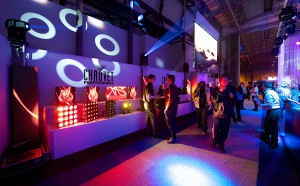
    That’s right, LDI is just around the corner.  Las Vegas is about to get a dose of entertainment lighting professionals that it has not seen since, well… last year.  The Las Vegas Convention Center is about to get transformed into a maze of lights, haze, and madness that would make Jimi Hendrix envious.  We here at CHAUVET Professional have been getting ready for LDI for quite a while now.  Not only have we designed a very cool booth for the show, but we are also launching some extremely hot new products. For those of you who are coming to the show, please make sure to not only come in the booth and check out our products, but also say hi!  We are always happy to see our friends at the shows and get some in person face time.

    For those of you who will not be coming, we are sorry that we will not see you, but make sure to  to check out the videos and pics from the show that we will be posting on Facebook, Twitter, and Instagram during the show, then on the blog after the show is over.

    So, for a sneak peak at what’s new at CHAUVET Professional, Check out these videos –

    Lighting Insights October 2015 – Sam Bowden Talks About Dynamic Video Setups

    Want to expand your video display, but can’t make the investment in a gigantic wall? No worries, you can still get a big video look without a big investment by mapping the appropriate fixtures with video content so they work with your panels to immerse an entire stage. Chauvet Europe’s Sam Bowden shows how it’s done in this informative video.


    Take it away Sam!!!


    Monday Morning Zen – Keeping Time

    One of the trickiest things to do when running a show is keeping time to music when you are trying to not only run cues, but also call spots.  The biggest problem is that not only are you listening to music, you are trying to anticipate the cues as you either call them or hit go on the console.  This can be even more difficult when there are no lyrics to go by.

    IMG_1049__

    While nothing can replace rehearsal, here are a few tips in tightening up your timing

    1 – Take a video of the rehearsal.  Watch the video over and over again till the music is stuck in you head.  Practice hitting go and calling your spots in time with the music.  This will greatly help you in getting your timing better.

    2 – Get the sheet music.  If you are working with a band, they will have the music charts available.  Get a copy and mark it up with the cues.  Write in where the cues go and follow the music.  Even if you can’t read music, this can be helpful since the timing of the music is written in the charts.  If you are lucky, you will be working with a musical director that will be willing to help you out with this.

    Elvis_1

    3. When you write the cues, put them in places where they make sense.  Try to make your cues match to drops in the music and movement on the stage.  By doing this, you will be building musical and movement cues to go on.  This will make it easier to memorize the locations of your cues and when to hit go.

    4. Practice, practice, practice.  Make the most of of rehearsal.  Listen to the music.  Make the cues make sense.  Since the cues should be motivated by what is happening on stage, weather it is musically or physically motivated, locating the cues should make sense.

    Mark Knopler Story2

    Running shows like this takes patients.  There can be a lot of frustration surrounding the design and execution of shows like this.  Try to stay above the Frey by remaining prepared and rehearsed.


    CHAUVET Professional in the Limelight at PRO 2015


    (Birmingham, UK) Held at Birmingham’s NEC from 12-14 September, the PRO show – sister to the long established BPM show – is the latest trade show to cater to the Professional AV industry in the UK. Exhibiting for the second time, CHAUVET Professional took the opportunity to unveil several new products at its stand. What’s more, CHAUVET’s incredible roster of fixtures could be seen at the centrally located CHAUVET Arena, a club-like area which stimulated great interest among the thousands of visitors.

    _STE2235

    “PRO was a real success for us,” said CHAUVET General Manager for Europe Michael Brooksbank. “Visitor numbers were up at our stand on last year, and the Arena provided the perfect opportunity to show off some of our best-selling fixtures in their natural habitat.”

    Some 10,000 visitors were treated with no less than five new CHAUVET Professional product launches, including: the PVP X3, the STRIKE 4, and the Rogue RH1 Hybrid.

    The PVP X3, CHAUVET’s LED display panel featuring a tight 3.9 mm pixel pitch and SMD 2121 black body Tri-Colour (red, green, blue) LEDs, created a big stir among those in the video and visuals industries. With standard illuminance of 1,560 NITS (adjustable up to 2,100 NITS) and wide 130° viewing angle, the PVP X3 delivers brilliant colour reproduction and exceptional clarity at both close-range and far-range distances over a broad spectating area. Ideal for touring as well as permanent installations, the lightweight 8.5 kg (18.7 lb.) panel is easy to assemble into video screens and walls of all sizes. It features magnetic LED modules for easy road replacement, and low power consumption (115W), which allows large sections of wall to be powered from a single circuit.

    _STE2242

    Another well-received addition was CHAUVET Professional’s multi format white warm LED strobe wash, the STRIKE 4. Featuring four independently focusable 100W COB (Chip On Board) LEDs, the fixture offers great coverage and flexibility, along with smooth 16-bit dimming control for incandescent-style fades. Automated strobe effects make the STRIKE 4 great for use as an audience blinder as well, whilst its individual manual pan control of each LED pod and adjustable PWM are ideal for on-camera applications.

    Last but by no means least, CHAUVET Professional presented its new Rogue RH1 Hybrid, a fixture which is taking the much championed Rogue series to new levels. Combining a powerful beam and spot effect in one compact unit, this amazingly versatile light can produce a tight beam angle of 1°-4.5° in Beam Mode, and a Zoom angle of 5°-19° in Spot Mode, for an array of beam size options. Plus, it’s got an added Frost feature for use as a wash effect as well. Powered by a 330-watt 8000K Osram Sirius lamp, the Rogue RH1 Hybrid offers a designer’s “dream palette” of mind-blowing visual effects, including: two layerable prisms (5- and 8-facet); two gobo wheels; and 13 vibrant colours. Two DMX profiles – 25- or 30-channel – give users programming flexibility.

    “At CHAUVET Professional, we put a lot of thought into developing products that meet lighting professionals’ ‘wish list’ and offer the performance enhancements and features that our customers demand, so we were very excited to display our latest offerings at PRO 2015,” concluded Brooksbank, “What’s more, we’re exceptionally pleased at the feedback we’ve been getting both about our products and about the show itself, which, in our opinion, has the potential to be one of the most important for the UK market.”

    Information Technology for the Lighting Professional – The importance of Throughput

    Information Technology for the Lighting Professional

    I saw a really cool ad from Verizon that shows a great explanation for how bandwidth works. It shows a bunch of people sitting in a room. They are supposed to represent data. Then a door shows up on a wall. This is supposed to represent band width on the network. Since the door is small, only so much data gets through. In the ad, Verizon is trying to say that with their network, you get a much wider door that will allow more data to get through.

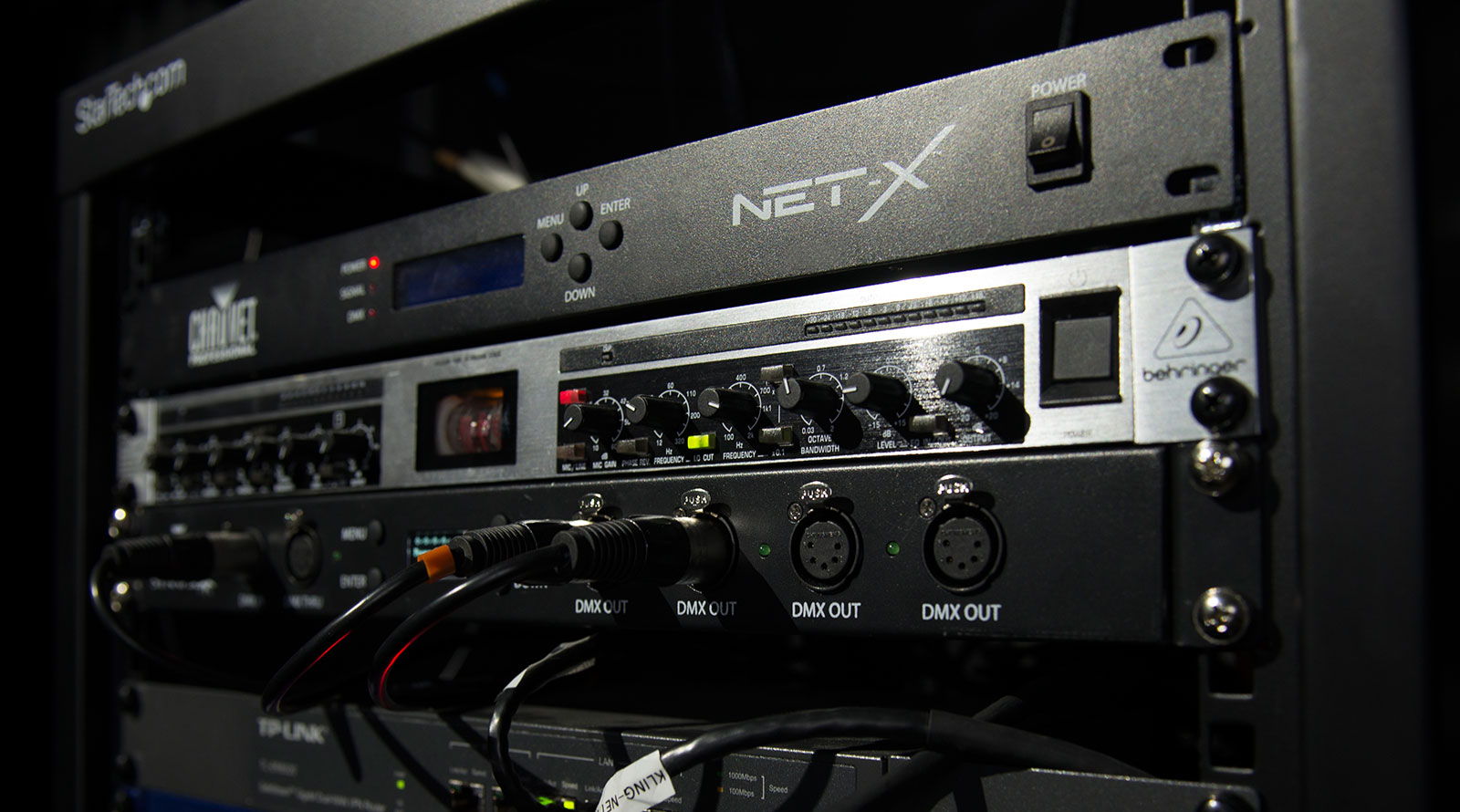
    I honestly could care less what network you use to get internet on, so this is not a push for Verizon, but it does play to a point when dealing with networks in lighting rigs. We spend thousands of dollars on consoles and fixtures. We want to build the best possible control system for our TCP/IP network to operate on, so we spend the money where it counts most, right? Not always. Take a look at your network routers and switches. This is where the Verizon ad statement comes in. If you grab an off the shelf network switch or router from the big box store on the corner, you are going to give yourself a small door. Even if it is a gigabite switch, it may not be what you are looking for. For lighting networks where every frame of data needs to get from the console to the fixtures in your rig, you need to make sure that the throughput is high enough to allow this to happen properly. Throughput is the rate of production or the rate at which data can be processed. Your console creates a ton of data that goes down your TCP/IP lines. This is especially true when doing pixel mapping and running several universes of data. Finding the correct network management devices is extremely important.

    When purchasing network switches or routers for your lighting system, make sure that the throughput is optimized for maximum band width.

    Monday Morning Zen – Missing a Cue

    MarcoAntonioSolisTour 3_550

    A millisecond early, a millisecond late, you hit GO at the wrong time. You know it, the performer on stage knows it, and unfortunately, so does the sound guy. Inevitably, you get the cold sweat feeling on your back and the knot in the pit of your stomach is growing. You are already anticipating the conversation at the end of the show between you and whomever and you are not looking forward to it.

    Chauvet Mark k 2

    If you can identify with the above, relax, you are completely human and we have all been there. The key is how to recover. You have to let go of the bad energy as quickly as it came up. You have to remember that this is live and there is no going back, so deal with the present. Move on and keep going. Don’t let one bad cue wreck the rest of your otherwise excellent show.

    I am not sure why, but people in our line of work tend to be perfectionists. We accept nothing but the best and are down on ourselves when we deliver anything but. The mark of a true professional is not the mistake that happened, but how we deal with it. There is saying that I have heard often and it goes something like this, “I have messed up way more important shows than this!” The point of this saying is not to belittle the show you are working on, but to give yourself perspective.

    So, go forth and produce amazing light shows. Do your best to hit GO at the right time, but don’t be too hard on yourself when you miss it by a millisecond or two.

    Monday Morning Zen – Design Block

    Monday Morning Zen – Design Block

    Design block happens to us all. Knowing how to get past it is really important, especially when the show you are programming is going to happen with or without your amazing light show. For me, this is something that typically happens when I am exhausted, stressed out, or have simply just hit the wall. But instead of talking about the causes, let’s talk about some work around ideas that might help you out when you feel most blocked.


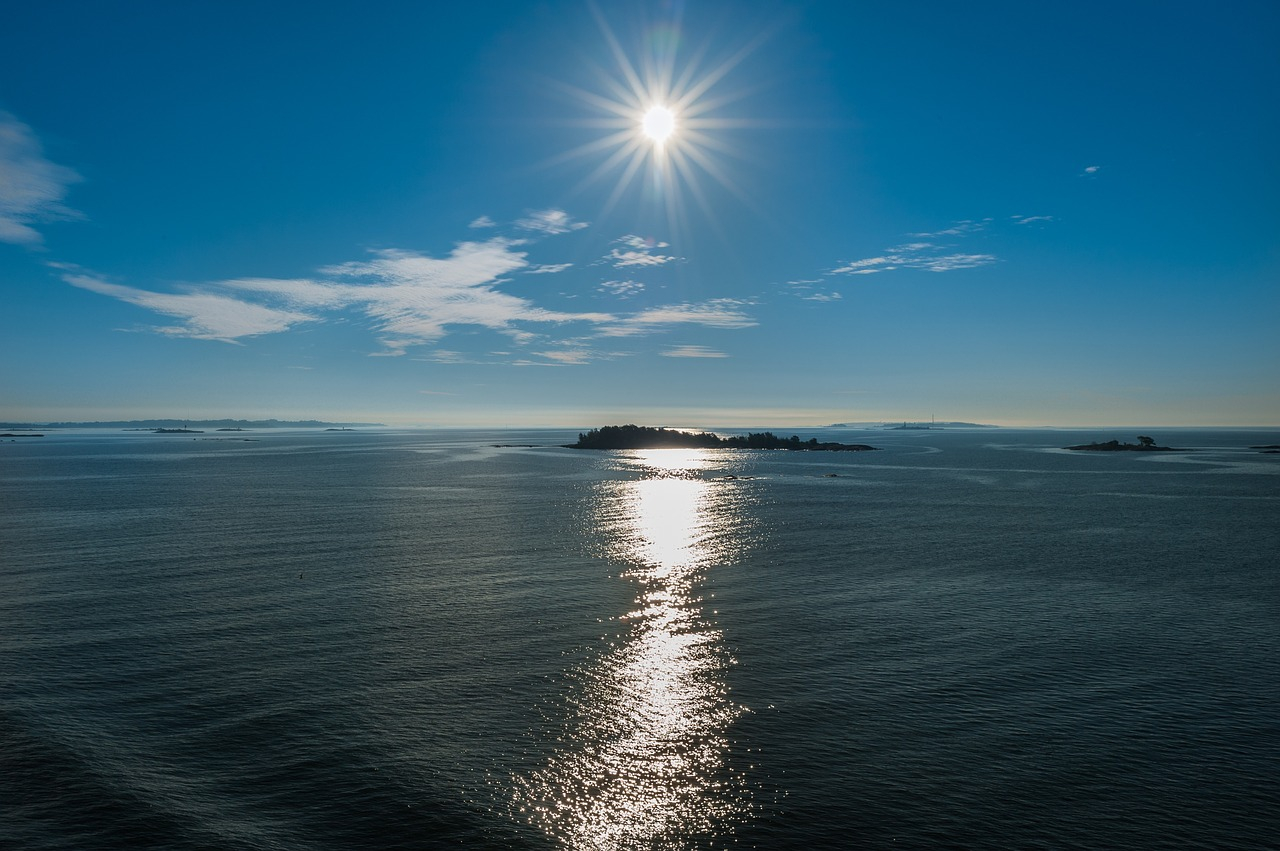
    Take a walk – Sometimes it is a matter of getting up from behind the desk and taking a walk. Go outside and get some fresh air. When I was programming on cruise ships I found it really helpful to get up and go outside once in a while and take a break. I found this especially important when we were programming production shows. Taking breaks is good, but leaving the room for a while is even better. This helps you to remember that there is a world outside of the room you are working in. Getting fresh air back in your body and letting your eyes see something besides the desk and your rig can make a world of difference in helping you get past the rough spots.

    sunset-889871_1280

    .

    Eat something – When you are programming for long stretches, you can forget to do things like eating. Lack of energy can really do a number on your mental state. Go and grab a snack. However, I strongly recommend not eating at the desk. Force yourself to get up and move. Take a look at the previous point. Sitting at the desk and eating only allows you to grab a quick snack. Taking a snack break away from the desk allows you to re-focus on something completely different from the show you are programming. I like apples because they don’t need to be kept cool, they are easy for your body to break down and you get the energy quickly.


    steak-881170_1280

    Change the subject – It often helps to let your mind wander and focus on something else because it is easy for our brains to get locked into a loop and block you from getting your ideas out. In these situations, I might check my Facebook to see what else is going on in the world or what is new on the CHAUVET Professional page, or I might listen to music that has nothing to do with the show I am programming. Sometimes it is just a matter of focusing on something different for a while and letting your brain reset to allow the good ideas to come back.


    Get some rest – If you are on a longer programming gig, sometimes you just have to save your show and go get some sleep. After 10 to 12 hours of programming, it all starts to look and sound the same. This is a cue that sleep is in order. If you are doing one of those dreaded shows where you load in the day before, program all night, and then have the show the following day, sleep seems like something that you dreamed about last week. I know that last sentence made no sense, but trust me, when you are that tired, it will. Being awake and running for 15 to 20 hours (or more) is not uncommon in our industry. In those situations, I highly recommend cat naps. Find a quiet place and crash for 20 minutes. It does not replace a full night’s sleep, but it is better than nothing. Keep in mind that caffeine and energy drinks do not replace sleep. As a matter of fact, they can make design block even worse.

    .pillows

    Plow through it – Sometimes, there is no choice but to plow through. No one likes it, but it is a necessary evil and a skill you need to have. In this situation, when you are totally blocked up, but you have to finish, go back to the basics of design. Make sure that your act is lit well with your three point lighting, and hit the dynamics of the music you are designing to. It may not be your most inspired work, but at least the portion of the show you are working on will be done and you can always touch up later. On top of that, sometimes when you are using this method, the elements start to fall into place and your brain will come back to life.


    Design block is all in your mind, but since your mind is what is designing the show, you have to find a way to get past it. There are a lot of different ways to do this, but the above are the ones that work for me. I hope it works for you too. If you have some things that work for you, share them with us! We would love to hear from you!