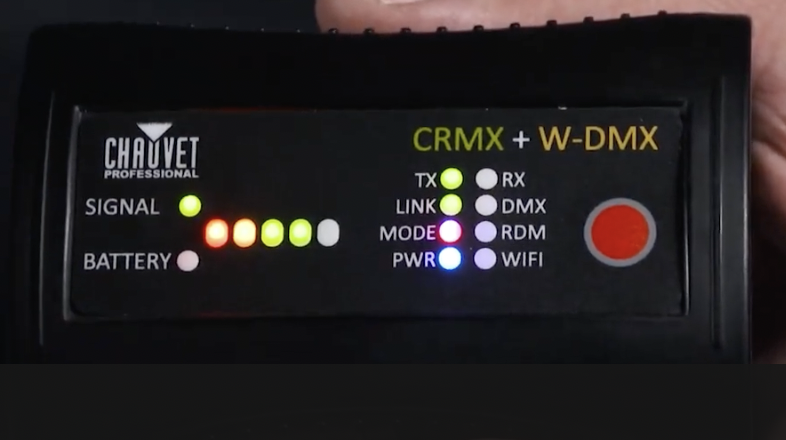
    Connecting the W-DMX Micro T-1 TRX G6 to a Maverick fixture

    This compact 2.4 GHz transceiver box can be set up to transmit or receive 1 universe of W-DMX, CRMX and RDM signals in order to operate a fixture or rig wirelessly.  With a range of 650 ft. (200m) and adaptive frequency hopping, this small device offers a robust solution for wirelessly controlling both W-DMX and CRMX enabled fixtures.

    Designed to be used directly with any Maverick fixture, linking the Micro T-1 TRX G6 is a straightforward operation.  We have created a two-part Light Snacks series to help walk you through the process, so be sure to check out those videos.  Now let’s jump into the steps and important notes to keep in mind when configuring the box and linking fixtures.

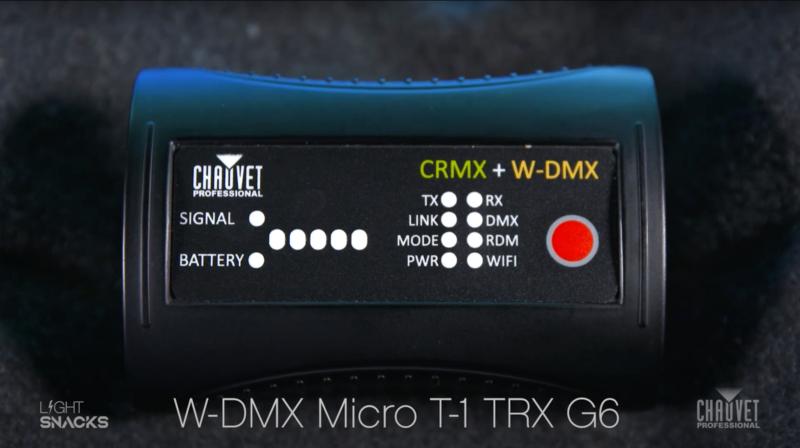
    If you’ve used previous versions of the Micro T-1, one of the first things you’ll notice is the new WIFI indicator on the front panel.  This new added feature is only for set-up. With WIFI on, you can access the box through the W-DMX Configurator app (downloadable for iOS and Android).  With this app, you can assign which version of W-DMX or CRMX that you want to use.  We recommend that you leave the box in its preconfigured G4S mode, as this allows you to operate both CRMX and W-DMX enabled fixtures, which means you can operate your CHAUVET Professional fixtures without needing to change this setting.
    Screen Shot 2023-05-11 at 11.22.12 AM

    Our first important note:  Wireless DMX communication during operation requires that WIFI mode be OFF, as the same antenna is used to transmit WIFI and W-DMX data (the steps for turning WIFI on and off are detailed in the manual).

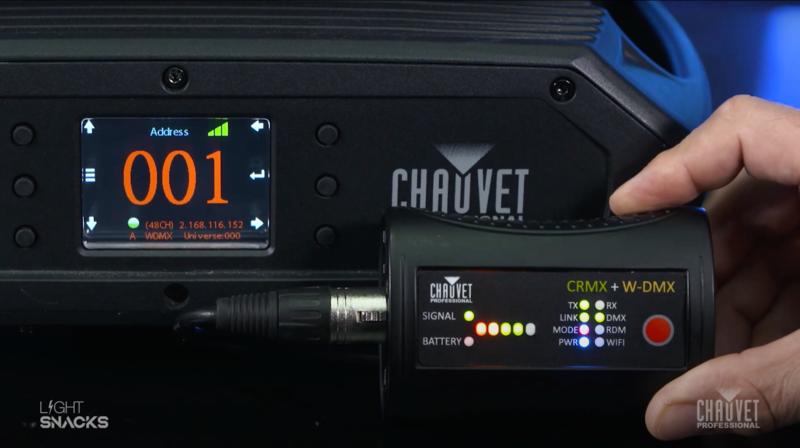
    To begin the process of linking the W-DMX Micro T-1 TRX G6 to a Maverick fixture, first power on the box using the on/off switch on the side of the device.  This can be done when operating with battery power or when connected to mains power.  Once powered on, you will see the signal indicator illuminate.  Make sure that you are in TX (transmit) mode.  Then plug in the DMX cable from your DMX source.

    For the next steps, we will configure the Maverick fixture before coming back to complete configuration of  the box.  On your Maverick fixture:

    • Go into settings on the fixture.
    • Set control mode to WDMX.
    • Arrow down to WDMX Reset.  Press Enter. Then select YES to reset.

    And now for our second important note:  If there is no DMX signal coming into the box, it will not connect to the fixture, so be sure the DMX cable connected to the box is receiving from a DMX source.

    Returning to the box, check again that you are in TX mode, then press the Red button for one second to activate the LINK function (confirmed by a blinking LINK indicator).  As soon as the link is successful, you will see the fixture react.

    Please note our third important point:  Holding the Red button for longer than a second will unlink the fixtures.  Here is the process for linking and unlinking:

    To unlink the box from the fixture, hold the Red button down for 3-4 seconds, and you will see the display on the fixture revert to a white wireless signal icon with a question mark.  Holding the red button again for one second will re-link and the fixture display will again show a green wireless signal icon.

    Now that you’ve been introduced to the basics of this versatile new box, be sure to refer to its product page and user manual for more in-depth information:

    https://chauvetprofessional.com/products/w-dmx-micro-t-1-trx-g6/
    Screen Shot 2023-05-11 at 11.20.35 AM

    Notes on TX (Transmit) and RX (Receive) modes:

    The male DMX connector on the box is set up for Transmit mode.  When using Receive mode, a gender conversion adapter will be needed (easily found in the marketplace).

    To change from TX (Transmit) mode to RX (Receive) mode:

    • Turn the box off
    • Hold down the large red button
    • Turn the box back on
    • Watch the indicator change from TX to RX
    • Let go of the red button
    • Then power the box off and on again.  Done!
    • Follow the same steps to revert to TX mode

    Notes on LINK indicator behavior:

    When linking fixtures:

    • Hold down the large red button for a quick second
    • Watch the LINK indicator begin flashing
    • Steady LINK indicator signals successful linking

    When unlinking fixtures:

    • Hold down the large red button for 3-4 seconds
    • Upon release, the fixtures will be unlinked
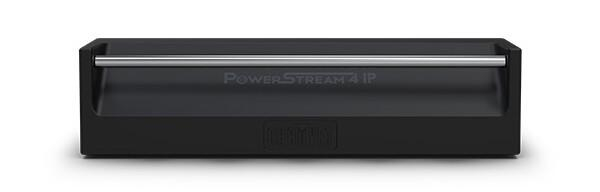
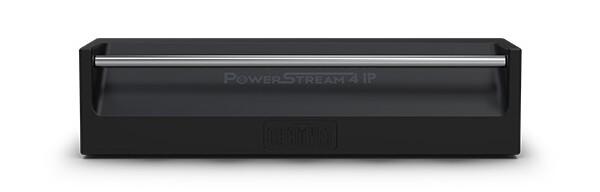
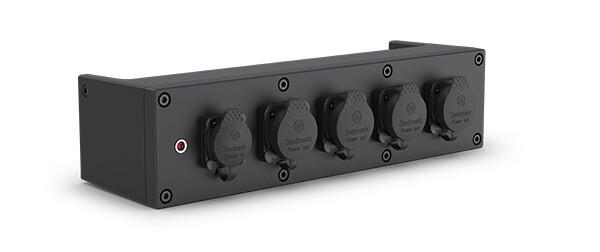
    IP65 Power Cable Management with PowerStream 4 IP

    Whatever the weather brings, PowerStream 4 IP has got you covered, safely distributing available power wherever and whenever you need it.

    The original PowerStream 4 provided a practical powerCON-compatible solution for using your circuit power more efficiently on your rigs. With the arrival of PowerStream 4 IP, you now have all the benefits of power-splitting plus an IP65-rated design that takes advantage of the complete interchangeability of PowerKon and TRUE1 style IP65 connectors.

    As we know, these 20A locking mains connectors are designed with breaking capacity, in order to connect under load or live. Hot plugging into PowerStream 4 IP is no problem and gives you safe and immediate access to power in the rig.

    Let’s do a quick run through the other benefits of this useful device:

    Rigging: The main benefit of deploying PowerStream 4 IP in the main power feed is that it helps reduce the need for additional cables, but its design also makes rigging a breeze. PowerStream 4 IP was designed with production rental houses in mind and comes with multiple rigging options for hanging in your rig. Easily clamp mount to truss with its M12 threaded insert and safely secure by attaching safety cable to its built-in rail.

    Powerstream-4-IP-FRONT
    Managing cable runs regardless of fixture design: Incredibly enough, not all fixtures come with both an IN and OUT power connection. When you have fixtures in your rig that don’t have power-linking, PowerStream 4 IP is a must for keeping cable runs neat and clean.

    Weather-proof reliability: It may only weigh three pounds, but PowerStream 4 IP is built to last and housed in a compact aluminum die-cast body built to go anywhere.

    Powerstream-4-IP-right
    One thing you’ll need to remember: if you’re not using a connection on PowerStream 4 IP, be sure to close its cover in order to maintain its IP65 characteristics. And the one thing to never forget: Always do the math. Make sure to allow some overhead when calculating the total power draw from your fixtures so that you don’t exceed rated amperages. Keep that in mind and this ingenious IP65-rated power distribution box will keep you covered when it comes to keeping your cable runs efficient and your gear safely rigged and powered.

    Watch a live presentation of PowerStream 4 IP by a CHAUVET Professional product manager in our episode of Light Snacks that serves up useful tips about IP POWER CABLE MANAGEMENT.

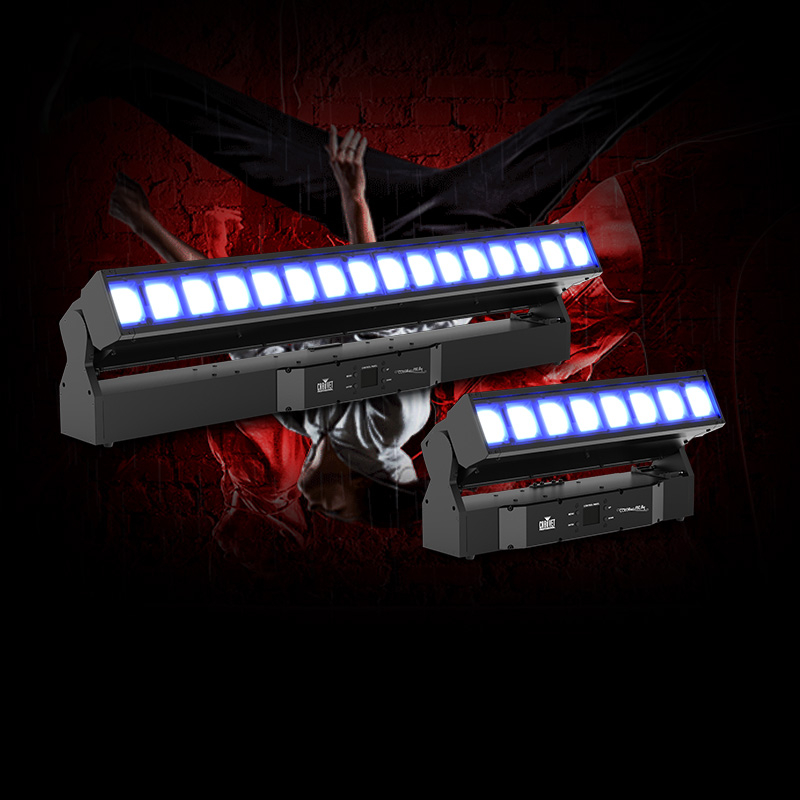
    Meet the new COLORado PXL Bars

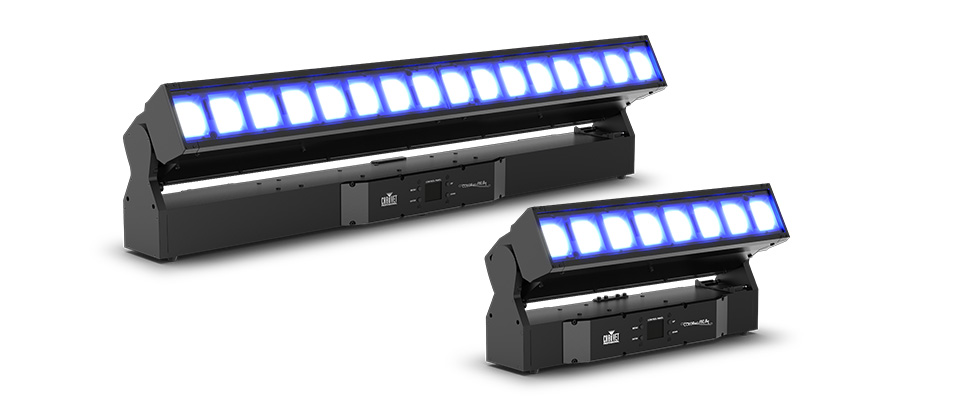
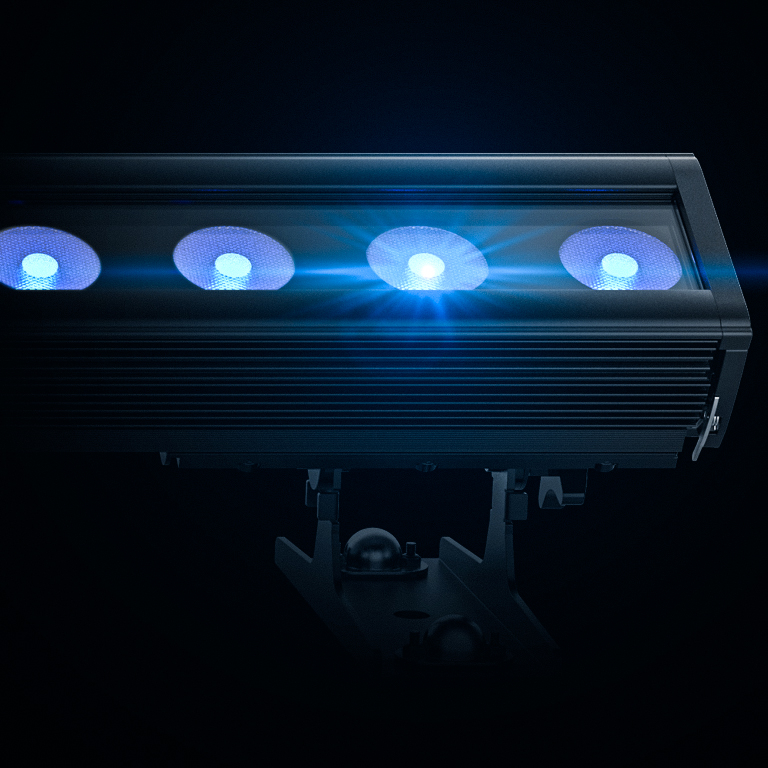
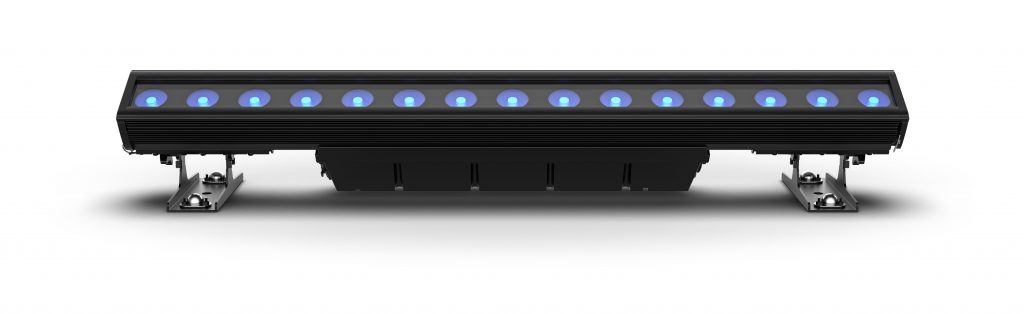
    SUNRISE, FL–  Versatility is a virtue! The new IP65 rated COLORado PXL Bar 16 and COLORado PXL Bar 8 from CHAUVET Professional demonstrate that in convincing fashion, delivering a wide range of performance features, such as seamless pixel pitch between fixtures and fast, smooth motorized tilts up to 200ﹾ whether used indoors or out.

    “We developed this fixture in response to customers who wanted a motorized IP65 rated batten that could be used outdoors at remote broadcast sites, festivals, and amphitheaters, as well as at indoor applications,” said Albert Chauvet, CEO of Chauvet. “This versatility translates into a faster ROI for our customers.”

    Regardless of where it’s used, the COLORado PXL Bar16 is loaded with features that will greatly expand creative possibilities for lighting designers, such as its 60ﹾ, 180ﹾ, and 200ﹾ motorized tilt range options. Other examples are the 5.8ﹾ to 48.8ﹾ zoom range of its 16 45-watt RGBW LEDs, and its two zones of control for pulsing effects.

    The COLORado PXL Bar 8 also maintains pixel pitch between fixtures and has the same zoom range as its larger cousin.  However, it has fewer pixels and only one zone of control due to its smaller size. Both fixtures also have an impressive 8,875K color temperature (at full).

    Adding even greater versatility to these fully pixel mappable fixtures are their built-in effects, including virtual gobo and movement macros with separate foreground and background color control. Slotted Omega brackets make it quick and easy to hang the fixtures on truss. They can also be positioned on the ground to provide a variety of different light angles.

    The latest in CHAUVET Professional’s series of IP65 rated products, COLORado PXL Bar fixtures can be controlled via DMX, sACN, Art-Net, and Kling-Net; and are also RDM compatible for remote accessing and troubleshooting.

    Constructed with a magnesium-aluminum alloy, die cast aluminum and high impact polymer, the new fixtures are rugged and lightweight (The COLORado PXL Bar 16 weighs 45.6 lbs./20.7 kgs.) The fixture’s body, as well as its power and data connections, software ports, 5-pin DMX input, and TCP IP input are all IP65 rated to ensure unparalleled performance regardless of the weather.

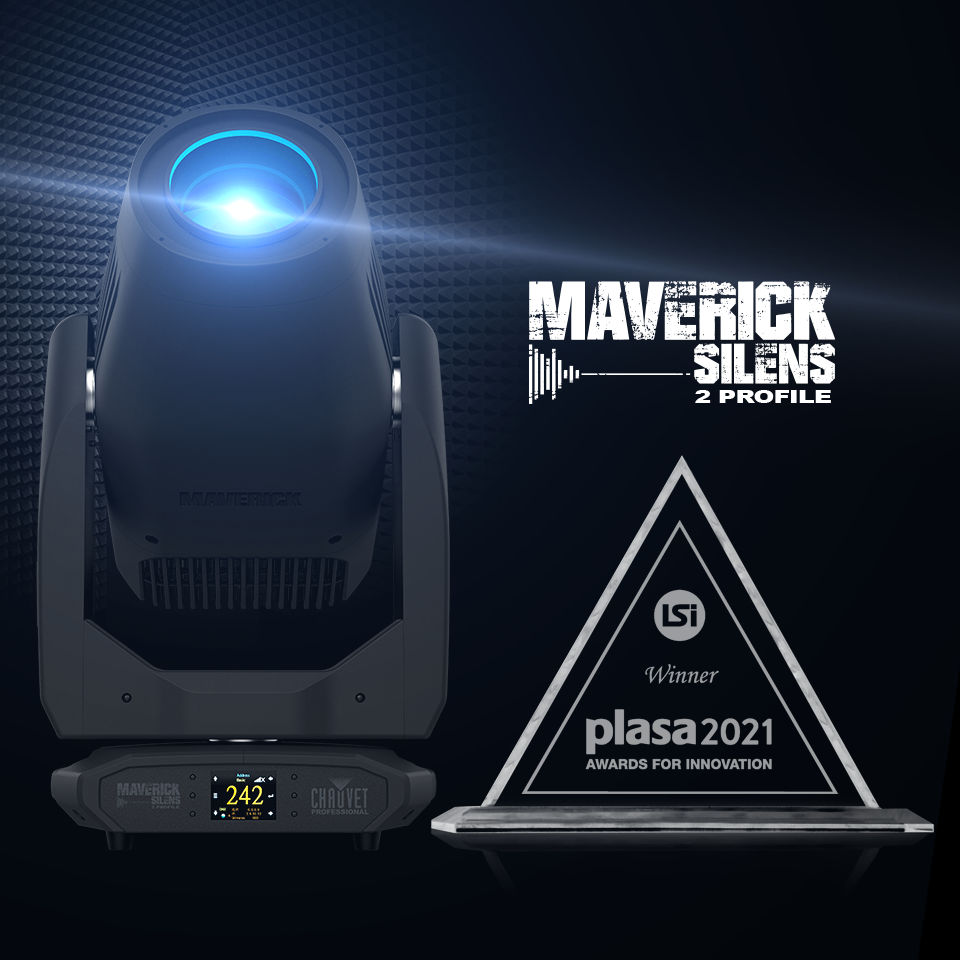
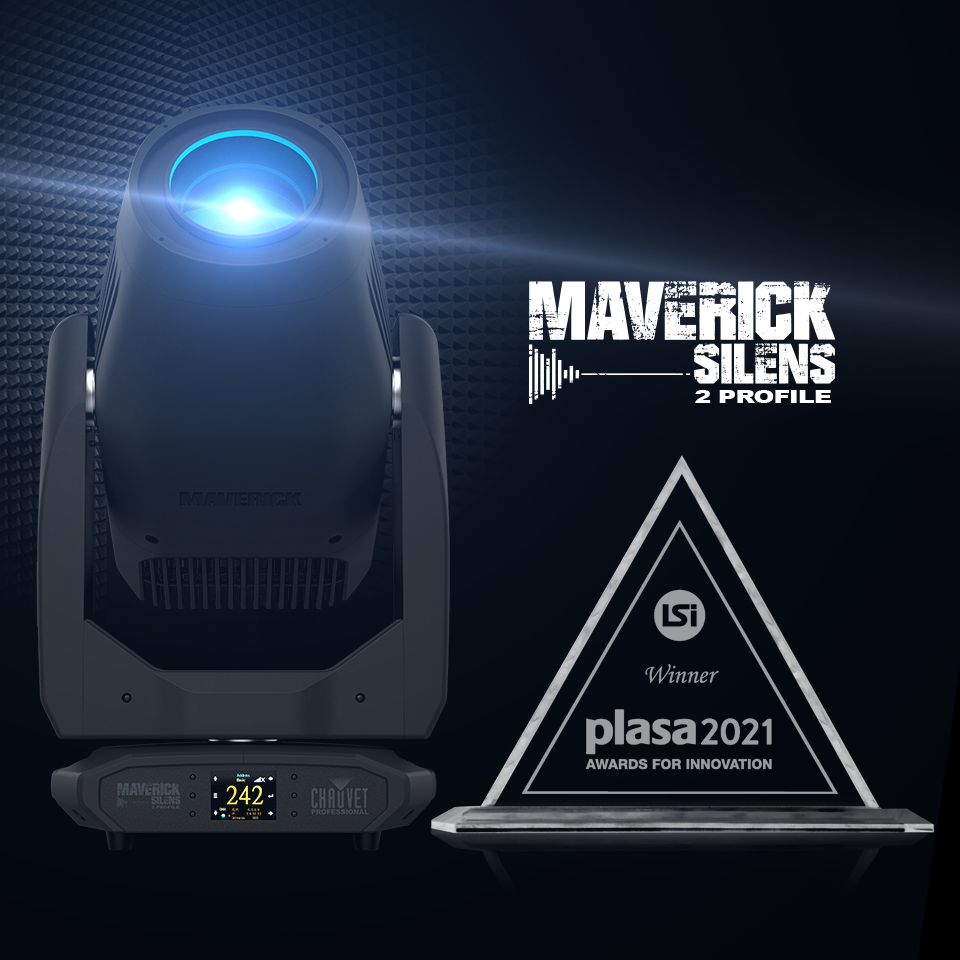
    Maverick Silens 2 Profile Wins Plasa 2021 Award for Innovation

    Maverick Silens 2 Profile Wins PLASA 2021 Award For Innovation

    LONDON – The Maverick Silens 2 Profile doesn’t attract attention to itself because of its sound; the 100-percent convection cooled LED PCB fixture operates in virtual silence. However, the versatile 560W luminaire did make waves recently when it was honored with a 2021 PLASA Award For Innovation

    The only moving fixture (and one of two lighting products) to earn this recognition at the PLASA show, the Maverick Silens 2 Profile was singled out for its “near silent operation,” being described by the independent panel of judges as “the sound engineer’s favorite light.”

    Without making a sound, the Maverick Silens 2 Profile wowed judges with its impressive visual performance, thanks to features like CMY+CTO colour mixing with CRI, R9, CQS, and TLCI all between 91 and 97 (depending on the colour temperature mixed). Other features that speak volumes about this silent powerhouse of a fixture include a four-blade framing shutter system with rotation, a colour wheel, animation wheel, a 10:1 zoom, prism, two frosts, static and rotating gobo wheels and 16-bit dimming with selectable red shift.

    “Our entire team is very proud of this honor,” said Michael Brooksbank, managing director of Chauvet Europe. “Silence has always been a goal for everyone involved in lighting theatre, broadcasts, recitals and other applications where absolute quietness is essential. However, no one could be expected to give up performance for the sake of silence. Now, with the Maverick Silens 2 Profile, they don’t have to – they can enjoy the best of both worlds.”

    New CHAUVET Professional COLORado Batten Q15 Is Versatile By Design

    SUNRISE, FL – Inspiration and creativity (not to mention client needs and spatial limitations) are taking the shape of lighting rigs in many directions. Now there’s an extremely bright batten that can go right along with them. The new IP65 rated COLORado Batten Q15 features an array of rigging options that make it right at home in a wide range of designs.

    The adjustable trunnions on this one-meter long RGBW LED batten, which can be adjust without tools on its integrated track, have been given an even greater degree of versatility with the addition of ¼ turn omega brackets.

    Adding to the COLORado BattenQ15’s adaptability is a new system for joining different units together. Integrated into the end caps of the fixture is a system to connect units seamlessly for perfect row alignment. Since these attachments are weight bearing, the COLORado Batten Q15 can be hung “icicle style,” or arranged in tower configurations using the included hanging/floor mount plate.

    “Given the demands of today’s market, when lighting rigs are being set up in many different types of settings, we feel that adaptable rigging options have never been more important,” said Albert Chauvet, CEO of Chauvet. “The COLORado Batten Q15 combines a high degree of rigging versatility with outstanding performance features.”

    Among those performance features is the intense output from the new fixture’s 15 20-watt LEDs, which render beautiful and vivid colors and lend themselves to sizzling pixel mapped displays without the “skittle” look often associated with battens.

    Capable of transitioning quickly from a smooth color wall wash to a stunning effect, the COLORado Batten Q15 features an elliptical 42 – 15-degree beam spread, a stowable glare shield, color temperature presets from 3200 K to 10000 K, and selectable smooth dimming curves.

    Designed to excel indoors or out, and in broadcast studios as well as on concert stages, the COLORado Batten Q15 is intended to be as versatile as it is reliable. “Our customers are being asked to be more flexible and imaginative than ever today,” said Chauvet. “We developed this product to help them meet that challenge.”

    Tech Talk: Using Color, Angle & Gobos to Recreate Outdoor Scenes Onstage

    Find out how replicating the great outdoors on your stage can be a walk in the park with Product Manager Michael Graham with Tech Talk on Facebook LIVE, Thursday at 2pm (EST) / 19 hr (BST). Tune in as he demonstrates how to use professional lighting tenets for natural exterior scenes in Tech Talk: Using Color, Angle & Gobos to Recreate Outdoor Scenes Onstage. Get more Tech Talk on CHAUVET Professional Training & Resource Page.

    Tech Talk: How to Layout a Stage Plot

    On Facebook LIVE, Thursday at 2PM (EST) / 19 hr (BST), find out that there’s no right or wrong way to approach a lighting design with CHAUVET Professional National Worship Resource Manager Daryl Sutton, but there are a few tried and true tips for achieving ultimate design flexibility in worship environments. Join him for this installment of Tech Talk: How to Layout a Stage Plot. Keep training at CHAUVET Professional Training & Resource Page.

    Tech Talks Coming Soon: August

    Tune in Tune in Thursdays at 2pm (EST) / 19hr (BST) on Facebook LIVE, YouTube, and IGTV for the virtual series packed with how-to’s, in-depth trainings, and design topics followed by a LIVE Q&A hosted by CHAUVET Profession Product Managers to elevate your skillset. Here’s what you can look forward to. Find more resources on the CHAUVET Professional Training Page.  

    August 6th—How to Layout a Stage Plot

    August 13th—Using Color, Angle & Gobos to
    Recreate Outdoor Scenes Onstage

    August 20th— How to Measure Light

    August 27th—Overview
    of Lighting Control System Layouts

    Tech Talk: How to Pick the Right Video Pixel Pitch for Your Application

    Tune in for Tech Talk with CHAUVET Professional Product Managers every Thursday on Facebook LIVE at 2pm (EST). This week, demystify how to ensure your video wall pixel pitch, viewing distance, and brightness are optimal for your application when you join Product Manager Anthony Chiappone on Tech Talk: How to Pick the Right Video Pitch for Your Application. Want more Tech Talk? Keep training on the CHAUVET Professional Training & Resource Page.

    Tech Talk: Demystifying Lighting Metrics: CRI, TLCI & TM-30

    Tune in to Facebook LIVE Thursdays 2pm (EST) for a real-time Q&A with CHAUVET Professional Product Managers after Tech Talk. This week, you can take the guesswork out of understanding lighting metrics and learn how to make quality of light choices based on the right data and specs with National Resource Manager of Concert & Touring Brad Haynes in Tech Talk: Demystifying Lighting Metrics: CRI, TLCI & TM-30. Keep training on the CHAUVET Professional Training & Resource Page.