Blog Series: Tech Talk

    Tech Talk: Right Fixture in Your Design

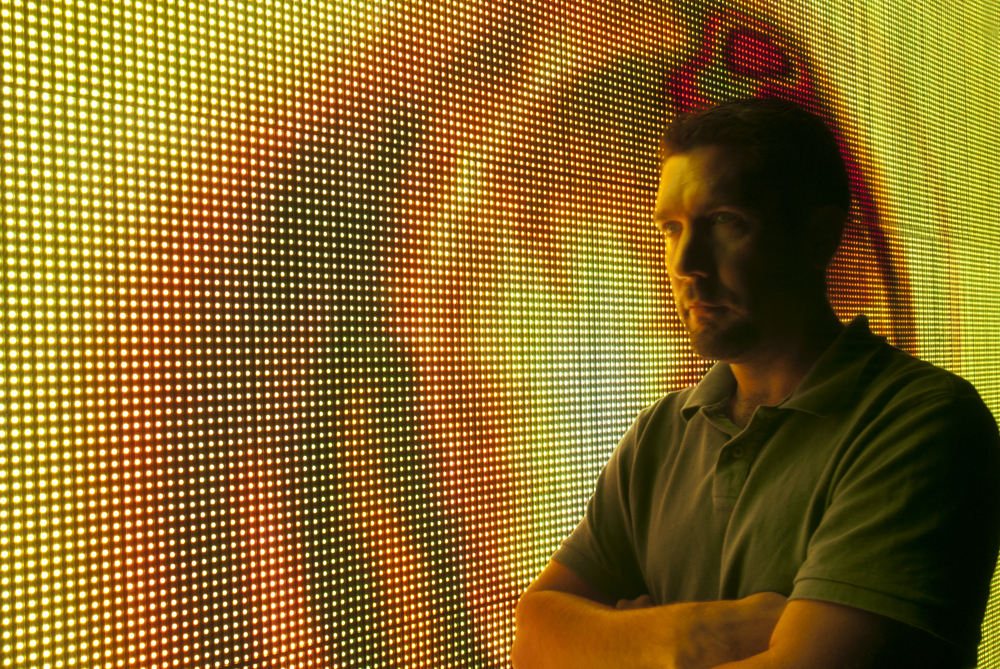
    Mike Graham looking pensive in front of MVP panels.

    Written by Mike Graham, product manager for CHAUVET Professional

    So here we are, LEDs are everywhere: RGB, RGBW, RGBWA, tri-colored, quad-colored, color temperature control. And what do we do with it all? Is there a standard for all of these colors and lensing combinations across the industry? Absolutely!….not. So, how is a designer or specifier supposed to know what to use with this vast sea of gear that is out there? Is there a shining beacon of hope, and if there is indeed, how many LEDs are in it and what wattage are they? A common question that I get is, “How do I get the incandescent crowd to understand and use LED fixtures?” That, my friends, is a really hard question to answer. I usually start with another question: “What is their design goal?” The suggestions below come after years of experience, so read them carefully:

    COLORado 1-Quad Tour is a compact, solid wash light equipped with 7 10-watt RGBW quad-colored LEDs.

    1. Tricks for front lighting. If I am looking to do front light, then I need to be able to blend colors easily.  For this, I am going to use tri-colored LEDs from a shorter throw distance. COLORado 1-Tri Tour is a great light for the first electric. The 25-degree beam angle lends itself nicely to about a 20-foot throw—distance from the light source to the object being lit—and will create a perfectly homogenized color blend. For a longer throw, I would look towards the COLORado 1-Quad Tour. Featuring RGBW LEDs, and an 11-degree beam angle, it is good for the house electric and can easily have a throw distance of 35 to 40 feet.

    COLORado 2 Zoom Tour impresses with its brightness, wide range zoom and flexibility.

    2. Know how to maintain flexibility. If I need something that is more flexible, I am going to switch up to the COLORado Zoom fixtures. COLORado Zoom Tour is great for distances of about 30 feet or less. Having the ability to adjust the beam angle by DMX, it allows the designer to use this as a utility fixture. Because of the zooming feature, the pool of light is really even, so it can be used as anything—from a side light, to front light, to downlight. With the zooming feature, you can even use it as an effect light from behind, to fake an iris effect. If you are shooting from a longer distance, then grab the COLORado 2 Zoom Tour. Same DMX layouts and field characteristics as the COLORado Zoom Tour, but a lot more output.

    COLORado Batten 72 Tour linear wash fixture includes 72 1-watt LEDs with RGBWA color mixing.

    3. Cyc lighting is easy! If you are trying to light a cyc or your have to replace border lights, then take a look at the COLORado Batten 72 Tour and COLORado Batten 144 Tour linear wash lights. COLORado Batten 72 Tour makes a great downlight, as well as a foot light. Having the standard 30-degree beam and RGBWA LEDs, it can mix to any hue or saturation that a designer may wish to create. If you need to have a combined power of 15- and 30-degree lensing, the COLORado Batten 144 Tour will fit the bill. This guy came from a customer suggestion to double the power of the COLORado Batten 72 Tour, thus able to do higher cycs of 40 or more feet evenly. In this case, mission accomplished.

    COLORado Zoom CW Tour has 37 3-watt cool and warm white LEDs for powerful output.

    4. Ideas for studio lighting. For the studio crowd, we have just unleashed the latest COLORado fixtures. COLORado Zoom CW Tour and COLORado Zoom WW Tour are just what the director of photography needs. These lights are designed with the limitations of binning in mind, giving off the perfect blend of color temperatures for both daylight and tungsten applications. Depending on what your environment is, we have you covered. Because of the zooming functionality, both of these fixtures are hands-down winners for the studio scene. Combining the zoom and the ability to get a higher output of either warm or cool color temperatures offers the most flexibility possible to lower the amount of fixtures needed to light a set. Perfect for indoor or outdoor applications, these lights are well worth taking a look at.

    So, next time a designer asks you why they should take a look at LED lighting, you have a solid answer: “I can show you any color you like! Oh, and what beam angle where you looking for?”

    Tech Talk: Tooling Around

    Mike Graham looking pensive in front of MVP panels.

    Written by Mike Graham, product manager for CHAUVET Professional

    A universal theme among us in this industry is that we have to travel to do our jobs. Planes, trains, and automobiles, that’s us. I have to say; sometimes I really envy people who only go on planes for vacations. Since the unfortunate events of September 2001, airplane travel has become a bit of a challenge. I had a fit the first time I had to check my tools.  (Sorry, but a $5,000 Fluke Meter is not something I wanted to have in my checked baggage.) If my tools don’t show up, I might as well not show up either.

    As a work around, here is my suggestion: I check the probes for my meter in my baggage and I pack the meter itself in my computer bag, which I carry on. There is no way I am losing it. I have my tool bag that travels separately from my luggage, but I put a few backup tools (screwdrivers, C wrench, side cutters) in my luggage. I figure that this ensures a better chance of at least one bag showing up at my destination. If you are taking any kind of butane or battery operated soldering irons, make sure the fluid chamber is empty and that the batteries are taken out.

    When it comes to carry-on luggage, I have a backpack and tow-behind travel case that can be zipped together to become one unit—or a wheeled backpack. I put my laptop in the backpack and my meters, books, and a change of clothes into the tow-behind. This works great because if I am on a flight where the gate people are telling me there is only one carry-on and your laptop bag counts, then I zip them together. It still fits in the overhead. If I am in Europe and they are weighing my carry-on, I keep them separate. (Shameless Plug Alert: CHAUVET also has a line of VIP Gear Bags to consider, see below for more information.)

    This is the backpack / tow-behind combo that I use.

    This also comes in handy for taking tools and parts to and from shows. If I am going to a show, most of the time, I have already packed a road case full of whatever I need so I am not really traveling with tools anyway. The only tools I fly with are ones I will need before my case shows up. For example, I know for trade shows, I will need a good tape measure with at least 25’ of tape on it, a sharp knife, and chalk before anything else shows up. I make sure the chalk and tape measure are in my carry-on, and the knife is in my luggage. For international shows, I have no road case, so I have to pack tools. However, I don’t bring the kitchen sink when I travel internationally. I only take what I need so I do not have to pay an over-weight-limit luggage fee.  All I really need are:

    • 2x Phillips head screwdrivers ( a # 1 and #2 size is good)
    • 2x Flat-head screwdrivers (one big, one small)
    • 1x Complete set of Allen keys—this can be the style that folds down or a t-handle kit
    • 2x Crescent wrenches (8” and 6”)
    • 1x Medium-sized vice-grip
    • 1x Soldering iron*
    • 1x Solder
    • 2x Small cutters
    • 1x Set nut drivers (metric or imperial, depending on your need)
    • 1x True RMS multi-meter

    * Here is the catch: If you are going international, soldering irons are not auto-ranging, auto-sensing, or auto-anything in terms of power. You have to know what voltage you are going to need to make sure you have the right iron. Or, you can get a battery-powered one, which is what I choose. Chances are good you won’t have to do a lot of soldering. If you do, buy one on site.

    I also like to take a few parts kits for the lights I have on my show as well so in the case something breaks, I am ready to go.

    Keep in mind your friendly TSA gate agent is not going to be too happy with you if the above tools are in your carry-on. Make sure that if you are using your carry-on for a tool case while at your show, you take them back out and put them in your luggage or traveling tool kit bag. Here is a link for an up-to-date list of what you can and can’t bring on a flight.

    Oddly enough, according to this site, cattle prods and gel shoe inserts have to be checked in your luggage and not carried on the plane. I can see the gel shoe inserts, but I will need that cattle prod to get through the inspection lines.

    CHAUVET VIP Gear Bags
    CHAUVET created a series of soft-sided gear bags for some of the more lightweight fixtures (that don’t require a road case) found in both the CHAUVET Professional line and CHAUVET DJ line.

    These would also be great for tools and cables as there are built-in, movable interior dividers and side pockets to keep everything in their place. There are four sizes to choose from and worth checking out.

    Tech Talk: The Quest for Knowledge

    Mike Graham looking pensive in front of MVP panels.

    Written by Mike Graham, product manager for CHAUVET Professional

    Back when I was in college–yep, I actually have a degree in theatrical technology–my professor told me that the learning would never end. I don’t think he realized how right he was. Given today’s world of ever-expanding technology and the co-mingling of different fields of the digital world, it is even more important to try to keep up with the changes in the industry. On the fly training is, now more than ever, absolutely critical. We have to keep apprised of not only the new products in the lighting world, but also keep up to date on new developments in the video and projection world. As these three things become seen as one by many show producers, we are expected to be experts in all of these fields. For me, this means a lot of reading, watching and surfing. I highly recommend these steps in your continuous quest to knowledge:

    Veteran of the industry Richard Cadena teaches an APT seminar at CHAUVET headquarters.

    1. Bookmark useful websites. Here are some examples of what I visit daily, but remember this is just the tip of the iceberg:

    www.chauvetlighting.com – purely self-serving and shameless plug. But if you read our installation stories and product descriptions you will definitely be more knowledgeable.

    www.plsn.comPLSN (Projection, Lights and Staging News) is a great resource for what is going on with products.

    www.lightingandsoundamerica.comL&SA Online is another great resource for what is new in the world of not only lighting but sound as well.

    www.livedesignonline.comLive Design is the magazine of LDI. This website has articles from some of today’s top designers of lighting and video shows. It is a great way to get inside the heads of these people.

    www.lightnetwork.com – if you want to find out what people really think about stuff, this is a great place to check out.

    www.esta.org or www.plasa.org – It’s the same thing now. ESTA and PLASA are the leading international membership bodies for people who supply technologies and services to the event industry.

    www.usitt.orgThe United States Institute for Theatre Technology provides an effective environment for theatre professionals to meet and share information with each other about anything that deals with the industry.

    Veteran of the industry Richard Cadena teaches an APT seminar at CHAUVET headquarters.

    2. Get books and read them too: There are tons of books out there, but considering the speed at which this industry is moving, I really recommend using the above websites as launching pads and checking out the additional links that they provide.

    3. Attend events, trade shows, seminars and anything that gives you hands-on experience. As far as watching, I highly recommend attending as many events and tradeshows as you can. Talk to the people who are in the various booths and ask a lot of questions. Those of us who work the booths will be more than happy to share our knowledge. Shows like LDI, PLASA Focus, USITT, NAMM, Lightfair and Infocomm are great places to meet and get some valuable time with the people who influence and keep this industry running. I also recommend checking out the various reality talent shows out there. They offer some really cool lighting and video that is expertly programmed and executed.

    In conclusion, the rule of thumb is that you need to take time every day to learn about what is going on in the industry or you will be left in the dust. Clients these days have much higher expectations of what they want in their shows and are getting smarter when it comes to making requests for show designs. It is up to all of us in the chain to make sure that we know how to make it all happen.


    Tech Talk: Learn How to Properly Pack for the Road

    Written by Mike Graham, product manager for CHAUVET Professional

    Mike Graham looking pensive in front of MVP panels.

    You just picked up a rental package of lights from CHAUVET. But do you know how to get them out for rental, and more importantly, back again in one piece? Can you just keep them in the box and hope for the best? How about cables? How do you keep track of cables, how do you wrap and pack them?

    As part of being organized, I always keep a list of what is in each box. I always know how many 10-feet 5-pin DMX cables I have and I pack a few in plus, just in case. Also, I pack some extra power cables, a few plugs and 3- to 5-pin turn arounds? I like to make note of anything that did not work on the show site so that when I get back to the shop, I can easily find it and get it fixed. These are just some quick tips; read below and get organized like a pro:

    1. Packing products. Let’s use the COLORado series of products for our examples. While they are completely road worthy, they still need a little protection from the rigors of road travel and from riggers. These fixtures are – with the exception of the COLORado Ridge IP and COLORado Range IP – fairly small in size, so you can pack multiples in one case. If you have PAR-style units, a case of six or eight is the way to go. With the batten-style units, you may be able to do many more depending on the style of case. Casing the units keeps them safe and helps you keep track of your inventory. This applies to moving heads as well. The lighter and smaller the fixtures, the easier it gets to pack more into the same case. The Legend 412 is a great example for this – it can be cased easily into an eight-pack.

    2. All about cables. Nothing is worse than getting to a show and seeing that the cable trunk looks similar to a steaming hot colander of cooked spaghetti. Keeping them organized is not as hard as you think. CHAUVET DMX cables come with color-coded shrink tube on both ends of the cables for easy sizing. Check the picture at right for CHAUVET’s color coding.

    • Handling new cables. When you buy a new set of cables, it is really important to take them out of the package, roll the cables out and get the wind memory out of them. When DMX cables are built at the factory, typically they are rolled off a big spool, have the ends soldered on, and then get wound back up on the packaging card. That is why when you buy new cables they unroll like a big spring. To release the memory, I grab the head of the cable in my left hand and pull it through my right hand tight enough to let the cable pass, but at the same time spin out the twists in the cable. Once you are done, the cable should lay flat on the floor. This will let you roll the cable back up and not have it look like a figure 8.
    •     Tying up cables.
      Zip Tie. This works very quickly, but they burn up fast and that can get expensive. Also if you don’t have a set of cutters handy, getting the Zip Tie off is going to be a challenge for your teeth.
      Electrical or Gaffers tape.
      This is quick again, but you might end up with tape on your shoes, and I personally hate tape on my shoes.
      Trick line or Velcro tie.
      This can be attached to the cable permanently and allows you to use the tie again for cleaning cable on the truss
      Fold over and tie the cable back on itself.
      Cheep and dirty way to have your cables not last too long. Tying a not in the cable is not a good plan.
    • How to roll cables. So pick a method and roll up the cable. I am really picky about how people roll cable, and this is my advice: never roll over your elbow. It creates memory in the cable and will eventually break the stands of copper in the cables. Since I am right handed I grab the head of the cable in my left hand and make loops that are about 1 foot across. There are two schools of thought on wrapping cable: over-under or all-over. Over-under means that you alternate the loops so that one loop is over the top, and the next loop is wrapped underneath. All-over means that you are wrapping the cable all over each other. Both methods are acceptable. However, if you unwrap the over under method the wrong way, you will see that every loop is now a knot in the cable.
    • Stacking cables. Once you have all of your cables wrapped up and color coded, you can start stacking them up in the case. One case for data, one for power extensions, one for motors, and one for power distribution. You want to keep these all separate as they are typically used at different times of the load in. You also want to make sure that you pack in order. For example, make sure that your feeder cable for your power distribution system is on top the rest of your power distribution cables. You are going to need them first and there is nothing worse than having to dig to the bottom of a case full of heavy cable only to have to put it back in once you have your feeder cables.

    So now you have your cases packed and you’re ready for your show. (For a list of tools, click here and follow the advice I gave in a different blog.) You know how to be in charge of your equipment and how to stay organized.  There’s one thing left to do: enjoy what you do and have fun!

    Tech Talk: Untangle and Unwind: Know How to Manage Your Cables

    Written by Mike Graham, product manager for CHAUVET Professional

    Mike Graham looking pensive in front of MVP video panels.

    One of my biggest pet peeves is messy cables. Even at my house, all of my cables behind the entertainment system are all zip-tied and grouped by control and power. Show time, being superficial with your cables is not recommended and is not professional. Neat cables translate into a smooth show and smooth wrap-up. When you cut the zip-ties or tape and the cables drop off the rig in a nice long line all ready to be spooled up, it can mean the difference between making last call at the bar or not. So, here are a few simple tips on how to keep under control miles of power and data cables.

    This is not the cable management you are looking for.

    1. Run motor cables first. Only run what you need. Tape or zip-tie them down neatly on the top upstage side of your truss. This is the least visible side of your truss from the front of house.

    2. Run fixture power second. Again, only run what you need. Make sure that you leave a little slack between the back of the fixture and your first tape or zip-tie point so that you can easily focus or adjust your light position easily if you need to. If you are stuck in a position of having to use a 25-inch cable to jump three inches, do not coil it up and attach it to the rig. Uncoil the entire cable and fasten it in down the truss so that it lays out neatly down the upstage top pipe above the motor control cable. Power up your lights to make sure that everything turns on and homes. This gives you a little bit of time to swap out a light if you need to before you get your data all tied in. I recommend having a spare circuit of power every 20 inches so that if you have to add in something, or something goes awry, you have an open circuit without having to run it in a rush and risk messing up your cable management.

    Neatly tied down and coiled. This is barely visible from the bottom.

    3. Data runs – work backwards. If you are using multiple universes of DMX, then this is a one-person job. It is really important to pay close attention to what is going on. Messing up the DMX run can create huge problems down the road. I recommend working from the last unit on the DMX chain to the head. This way all of my excess cable is going back towards the opto-splitters and can be easily hidden as we go. I also suggest not cleaning any cable until you have control over everything from the control desk. This is because if you are going to have a problem, it is most likely to be data-related. Data cables are fragile and for some reason, get caught in road case lids all the time. Once you are sure that you are good to go for control, try to tie these again to the upstage backside of the truss. If you are out of room or it’s getting to look like the all-you-can-eat pasta buffet, use the downstage top of the truss.

    Passing data runs through a corner block in truss. Notice how it is all neatly running in the same direction.

    More quick tips:
    1. Labeling your power distro helps you find what power is plugged in where and avoids signal loss.
    2. Sharp cables are much easier to find when you’re in a rush, especially when you are running in the dark during a show.
    3. A big spool of power cable becomes an electromagnet when powered up. This can cause electrical fields that will mess with your more sensitive gear, especially if you are working on a wireless network.

    Remember, a successful show is not just about the façade! Be thorough and neat, follow these suggestions and manage a successful show.

    Tech Talk: Order from Chaos

    How to Design an Impeccable Show
    Written by Mike Graham, product manager for CHAUVET Professional

    Mike Graham looking pensive in front of MVP video panels

    In my opinion, there is only one way to design a successful show: you should have the collaboration under control and should start from the beginning. It is really easy to make the mistake of starting from the middle and trying to work in two directions. Trust me, it is easy to fall into this trap, which will only result in a messy show. Read on and see how you can keep things under control and create a solid show:

    1. What’s the story? Every show needs a story, even if it’s just something you have drafted in your head to keep everything flowing. This also helps you to have some kind of symmetry in your design; it gives you a beginning, middle and an end. All of these things are important.
    • Meet with the client, the scenic designer, and anyone else who has a say in how the show is going to look like.
    • Ask for photos or images of what they are basing their ideas from. This will make all the rest of the design process much easier.
    • Pick a visualizer that will work for you. There are tons of them out there, everything from WISYWIG, to Vectorworks and our own CHAUVET ShowXpress has a visualizer onboard.

    2. Does it all fit together? Before you pick light no. 1 to hang, you have to have the set structure done. Again, go back to your story and ask yourself how do you want it to look. This will guide you in designing the structure or truss layout for the lights. If you are working with a scenic designer, make sure that you two are in complete sync. Most likely you have both been hired by the same client, so work together. Again, you want to stay in control of the lighting portion of what is going on. Make sure that the designer’s story does not crush yours or vice versa. Get the hanging structure approved before you move to the next step. Make sure you have some ideas on lighting positions, but don’t go too far ahead at this point. You are going to be really upset when you think you are all done only to find out that the client has some different ideas.

    3. Get the scenery ready. Truss is all done, now what? Before you choose your lighting positions, take scenery into account.
    • Plot out the video before you plot out your lights. I include video wall and video projection into scenery and the last thing I want to do is block the video panels with a bunch of lights. This will make for a very cluttered look and it won’t make good visual sense. I try to frame my video with lighting. This way, I have plenty of room to work with both. Video and lighting can play well together and it’s easy to see when someone forces the issue and has overdone one or the other. (I would like to point out how well Roger Waters’ The Wall Live tour looked. Everything was working together.)
    • There must be balance. Without a good balance between the two, we have serious issues. To keep the balance, it is important to make sure that all of your scenic elements are positioned in such a way that you can either light or not light them. You don’t want to throw light on something that should be in shadow and the other way around.

    4. Plot lights wisely. Keep in mind as you plot, that drawing a light onto a rig takes about a second, but hanging that same light on the rig can take much longer. My first, larger shows had well over 400 fixtures. I have learned how to have less lights, but be much more effective. It all goes back to the truss layout. How does the story start? We are in the middle of it now. How are we progressing? Does it all make sense?
    • Every light has to have a purpose. Think of them as characters in your story. There are leads and supporting roles. Movers are typically leads and statics are supporting characters. You don’t need a ton of leads, and your support cast should not upstage them, but are still really important in how they are placed. (If R5 D4 didn’t have a bad motivator, R2 D2 would have stayed with the Jawas. That would have made Star Wars really short.) Put your bigger movers towards the outside of the set.
    • Think in layers. Think about how a Legend 1200E Spot works with field of wash lights. Design from the back to the front or from the front to the back. Pick one. Don’t try to work in two directions. You can also work from the center out, but that does not work to well for me. Pick a good truss warmer. I like to use COLORado 1 TOUR and COLORado 1-Tri TOUR lights for truss warmers. COLORdash Par Tri is a great option for Euro- and DJ-style truss where the COLORado fixtures won’t fit.
    • Keep track of weight loads, data runs and power runs while plotting your lights. Also this is a good time to make sure you have the power requirements taken care of.

    5. Final approvals. Before you start ordering everything, get the final thumbs up from your client. The best way to do this is to turn on some lights in your rendering and give them an idea of what they are going to see. This is a visual business. You have to show your work.

    6. Build up. The key here is to run the show, not to let the show run you. As long as all of your paperwork is in order, this should not be too painful. There are always some bumps and changes, but if you are prepared, this is not a real problem. I have been in situations where I have had to cut lights, cut fabrics, cut truss, and even once or twice, had to cut steel pipe with a hack saw. All of this is not a problem as long as you can adjust to on-site demands. Communicate with the crew. Make sure that everyone knows his jobs and goals throughout the building process. If you are programming make sure you have a comfortable chair, plenty of snacks and a good solid hook-up for coffee.

    Start at the beginning with a bare stage and then work your way down. Don’t do a light plot before you have the hang structure, scenic design and most importantly, the approvals on everything in writing. All in all, you should be ready to rock by now. Send us some pics of your shows, you at the controls or of your load-ins. As long as they are all in good taste, they will find a place on our professional blog!

    Tech Talk: The MVP System in a Nutshell

    Mike Graham looking pensive in front of MVP video panels

    Written by Mike Graham, product manager for CHAUVET Professional

    …And there was video, and it was good…

    CHAUVET has entered the video panel world with our release at InfoComm in Orlando this year. MVP Series of modular video panels has already started to buzz right out of the gate. (Honestly, we could not be any happier with the immediate response that we have gotten.) This month I thought I would break down some of the video jargon you will start to see in our literature as well as hear by our sales team.

    MVP installation and operation is actually easy

    Before we get into the video person to lighting person translation guide let me first say that MVP installation and operation is not scary at all. We have taken our time and have made sure to make this as easy as possible. If you ask the crew we worked with at InfoComm, they would pick the MVP panels over lights any day of the week and twice on Sunday. Also, they would rather hang them. This is because they are lightweight, the rigging hardware is easy to use and all of the cabling is done with Neutrik powerCON and etherCON connectors. How simple is that? No strange proprietary connections that you can’t find on the road, just easy to use connectors that are available at any boxed goods store in our fine industry.

    Four concepts of video you should definitely know

    So, let’s say you are new to the wonderful world of video and you want to sound like you know what you are talking about. There are four words and phrases that will go miles into making sure that you get the information you need, that will let the salesperson know that you mean business:

    1. SMD LED – Surface mount diode LEDs are used in the manufacture of the MVP panels. We use these because they are much smaller in size than other LED styles and take much less power to operate. They also have a very wide viewing angle and are very stable in their construction.

    2. Pixel pitch – Pixel pitch refers to the distance between LEDs. It is measured in millimeters. We measure from the edge of the LED because SMD LEDs come in several different sizes. If we measured from the center, it would be a mathematical mess. You might end up with two 18 mm pitch panels with completely different amounts of LEDs.

    3. Viewing Angle – Viewing angle is the area of which the panels can be seen from. This is really important to know when you are setting up your show and you want to make sure that the people sitting in the 400 section can not only see that there are video panels, but see what is on them. The MVP panels have a 140-degree viewing angle.

    4. NIT – NIT is a measurement to video people as LUX is for lighting people. It is defined as follows: the candela per square meter (cd/m2) is the SI unit (International System of Units) of luminance; nit is a deprecated non-SI name also used for this unit (1 nit = 1 cd/m2). The unit is based on the candela, the SI unit of luminous intensity; and the square metre, the SI unit of area. Nit measurement is done at the manufacturing plant and is not something that you can take your handy light meter out and measure. The higher the nit, the higher the maximum brightness of that source is.

    Getting signal to the panels is easy

    Another concern about the MVP system is how to get signal to the panels. Contrary to popular belief, there is no magic wand needed. We implement software that has been created specifically for CHAUVET to manage the signal distribution to the panels. In a basic setup, we send signal from the PC over USB to the MVP Signal Processor and then to the panels. (We will address advanced system setups in future tech tips. Stay tuned!) Once we have all of our wiring done, we configure the software and tell it where the panels are and what kind of layout we have. So for example, if I have six panels wide and five panels high, I create a grid in the hardware setup section of the software that has six panels wide by five panels wide. I then make sure that the software knows what kind of panels are out there, and then I send the configuration file to the panels. In a nutshell, it is as easy as that. All of the settings are done using one software program. There is even a playback section built into the software that is easily accessible and easy to use.

    CHAUVET will be requiring customers come to our worldwide headquarters to attend training on this system prior to using it. We want to make sure we can provide all the tools necessary to you so when you get back to your shop, installation, or wherever you intend to use the MVP system, you have a good handle on it.

    There you have it, the MVP system in a nutshell. For a lot more information, keep checking out our website as we are adding more and more details on this every day.

    International Travel

    Mike Graham, looking pensive in front of MVP video panels

    Written by Mike Graham, product manager for CHAUVET Professional

    Working at CHAUVET requires I spend some serious time hanging out in the friendly skies. I have had to take my shoes off at some of the worlds finest airports, and have been stuck in the middle seat on more than one occasion on international long haul flights.

    The more and more I do this, the more and more I can identify with Edward Norton’s character from Fight Club. In fact, I think that I passed myself on a moving walkway just last week. So, I am at the tail end of a work trip overseas today and am getting ready to fly out. I am just about acclimated to the time changes, and now get to go back and try to get back to normal.

    There are a few schools of thought on how to deal with jet lag. I think for me, I just try not to sleep on the trans-ocean leg. It seems to work for me typically, but on this one….not so much.

    So, tomorrow, I get back on the big aluminum tube and breath in the same air that everyone else is breathing in for 13 hours or so. Don’t worry, I have my Airborne ready to go. I just hope they changed the movies.

    Next month’s tech talk is going to by my first on video. I am doing a ton of research now and am looking forward to bringing all of you some great information on how to make video part of your show!

    Tech Talk: Troubleshooting made easy.

    Mike Graham, looking pensive in front of MVP video panels

    Written by Mike Graham, product manager for CHAUVET Professional

    Everything breaks.
    As John Bender said in The Breakfast Club, “It’s an imperfect world, screws fall out all the time.” I can vouch for this. Not only am I a product manager for CHAUVET, but I have worked extensively in the field. The majority of my field experience was on the water—as in cruise ships. The great thing about working on those ships was learning self-reliance. We did not have a lot of support beyond our own brains and had to troubleshoot for ourselves.

    Searching the internet for answers had to be done from an internet café somewhere in Alaska, St. Thomas, Germany, or an even more exotic place like Miami. We had to be able to think on our feet and figure out stuff for ourselves. We had to take good notes so when we did finally get to a place where we could talk to someone from customer support we had all of the variables figured out. (We typically had only one shot per week to get one of these technical geniuses on the phone.) The funny thing is I can remember the names of every phone technician that helped me and I still run into many of them at trade shows. Some of them have become life-long friends.

    Break down the system.
    Troubleshooting is a critical skill we all need to have, not only in the field, but in the shop as well. The key to fast and easy troubleshooting is to break down the system to its simplest components to see what actually works. For example, if you are working on a moving light and it is not panning or tilting properly, swap the motor cables from the pan to tilt drivers and see if the problem stays with the pan. Or did it move to tilt? If it stayed with the pan, the motor is most likely the problem. If it moved to the tilt, you most likely have a driver problem. Figuring this out before you call the phone support guys will save both of you a ton of time. If it’s a color wheel, you can do the same kind of trick with the cables from the gobo wheel and vice versa. For CHAUVET Professional products, we use the same motor for both positions. It may have a different shaft length, but the motor is the same none the less. Simple things like this will save you a lot of headache.

    Back up a step.
    For a bigger system, it is the same principle: break it down to its basic components. Let’s say you have a club running three universes of DMX from ShowXpress. The last five fixtures on your third universe are not responding to DMX at all. First thing to do is eliminate every non-essential part of gear. Take the DMX cable from the output of universe three to the input of the first fixture that is not working properly. Now all five work, great! Let’s back up one fixture. Now you have six fixtures in line and everything is fine. Let’s back up one more step to the opto-splitter (you are using opto-splitters, right?).  Drop your DMX line from your controller right to the DMX input of the opto-splitter. If the problem comes back, you have a bad channel on the opto-splitter—problem solved. Swap it out.

    Change a cable.
    Let’s say we still have the same lights down. There are six lights on the line coming from the opto-splitter. Fixture one is working fine. The last five are not responding at all. You bypass the first light and find this fixes the problem. First change the cable between the first and second light. (After all, it would not be the first cable that died for no reason.) If this does not solve the problem, change the cable between the first fixture and the opto-splitter.

    The next step is realizing you have a fixture problem. Since most lights send DMX from fixture to fixture without buffering the signal, you most likely have a bad DMX socket. (At least this is where I would start the process.)

    Again, it’s all about breaking down the system to its simplest operation. When you call the technicians at a manufacturer, they are going to ask you if you have already done this. (If you have not, they are going to ask you to do so.)

    10 tips when calling for support.
    You are ready to pick up the phone and call technical support. Make sure you have the following at hand as it will help out the tech immensely:
    1. Serial number of the light in question.
    2. LOT number of the light in question if there is one
    3. What kind of controller are you using?
    4. How many are on the DMX chain?
    5. Are you using an opto-splitter?
    6. How many lights are plugged into one circuit?
    7. How many lights are daisy-chained for power to each other?
    8. What is the power level?  110, 208, or 220 volt?
    9. Is it clean power? Are you on a generator?
    10. How long has it been installed or in operation?

    All of these questions are important for the tech you’re calling (and for you) as it helps to narrow down the scope of the problem(s).  At the end of this process, I hope your problems are solved and that your show is running flawlessly.  If not, “feel free to call us back.”

    Tech Talk: The Right Tool for the Job

    Mike Graham looking pensive in front of MVP video panels

    Written by Mike Graham, product manager for CHAUVET Professional

    I can clearly remember my dad always telling me to pick the right tool for the job. Pretty simple rule, right? The truth is that this rule applies to more than just picking the correct wrench.

    W-DMX is one of those tools in our industry that is the right tool for the job. We just released the WELL fixture. It is already a huge success and a lot of that is because of the W-DMX option. W-DMX from Wireless Solution is a wireless DMX solution that allows the user to send DMX without a cable.
    This comes in really handy in ballrooms, corporate events and anywhere else where having wired data is not really wanted. For me, any kind of ground lighting is a good time to avoid running data cable. Avoiding any additional ground clutter is a good thing. W-DMX to the rescue! Couple this feature with the battery-powered WELL and you have a really slick way of having a completely wireless uplighting package.
    Now that is the right tool for the job.
    Good luck, be safe and send us pictures from the road!