    Blog Series: Lighting Education

    TECH TALK September 2013: LOAD OUT!

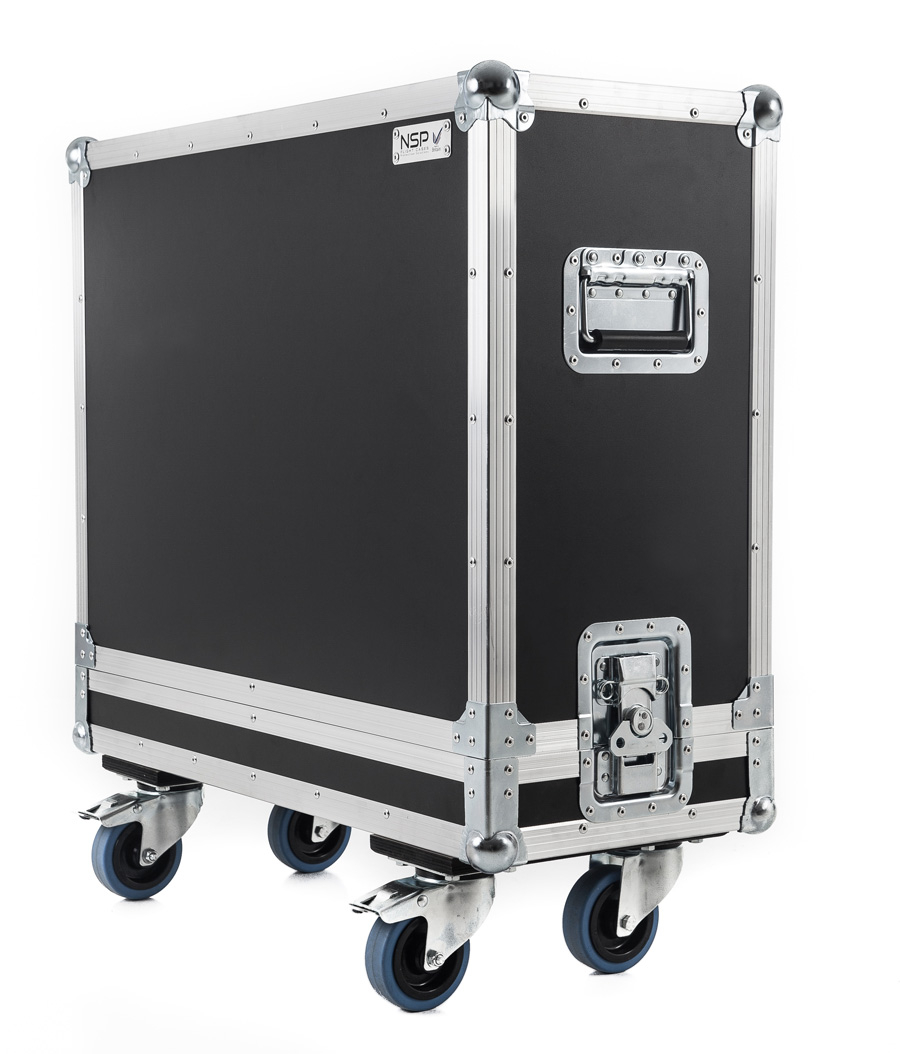
    flight-case-road-case

    LOAD OUT

    One of the happiest times of any show is the completion of load out.  Especially if it is complete before  last call at the nearest bar.  However, load out is also, in my opinion, is often an overlooked event of show planning.  By organizing your load out in the same fashion as your load in, you can be sure that there is a cold beer with your name on it waiting for you.

    The best time to start thinking about load out is during your show design.  At the same time you are thinking about how cool your show will look, and how much it is going to cost to load it in, you have to already be thinking about how much it is going to cost to load it out.  Typically, your goal is to make sure that your rig can come down in less than the four hour minimum that you often time have to pay your crew.  So, in the same way you can estimate how long it will take to load in, estimate the load out as well.

    During your show pack, keeping track of exactly what goes into what box is really important.  Having a complete and accurate packing list as critical for load out as it is for load in.  Knowing what needs to go back into every box will greatly assist you in keeping your pack time down.  This will also help you to make sure that everything that you brought to the show goes home with you.  It is also a great idea to label each case that you take with you.  On that label, you should have the following listed:

    • Your show name
    • Names of items
    • How many of each item
    • Road case number (of total cases)

    When you get to the venue and start setting up, As you empty cases, use the empty cases to store your truss carts.  Make sure that you label the cases your truss carts are in so you can easily find them, but this will keep them all in one place and save you time in looking for them at the beginning of load out.  Making sure that all of your cases are prepped to return in the order that you will need them is also really helpful.  I also suggest that having all of your spare items in its own case so you can easily find them if you need them.

    As you get to load out and your cases start showing up, keep them in order.   As you load one up, the next one you need is there for you to use, this will also keep your “case clutter” to a minimum.  Once you load a case, get it moved away from your work space and staged for packing back into your truck, then load the next one.  As to cables, I suggest taking all cables that five feet and under and bundling them in packs of 10.  This will make counting them easy and they can be easily stored.  Typically, the most common lengths of cable are 5ft and under, so you will save tons of time by not rolling them up individually.  As you get to your trussing dollies, set them up and keep them to the side until you need them.  Always load your cases outside of your rig s footprint.  This way, you can keep dropping your rig to the ground without having to move a bunch of half full cases around.

    Keeping the process moving is important.  By the time that load out comes, everyone is getting worn out and could be getting a little complacent.  Keep an eye on how your gear is being packed is important, especially if you are working with a local crew that is not going with you to the next show. Firstly, you need to know where your gear is getting packed, but you also have to make sure that they are not just jamming it in a case with no care.  Also, because it is the end of a long day, or in many cases, a long few days, your crew will be tired.  Make sure that they are still following safe practices and not standing on the “OSHA approved chair” for taking lights out of the rig.

    Remember that load out is not complete until all of your gear is on the truck and the door is dropped.  It is important that not only is all of your gear in on piece, but so is your crew.  Keep safe and stay organized and you will all make it before last call.

    Stay tuned for more Tech Talk articles from Chauvet Professional — we’re here to help you own the road!
    CHAUVET Professional Supports Wakefield’s Backstage Academy with Q-Wash 560Z

    q-wash-560z

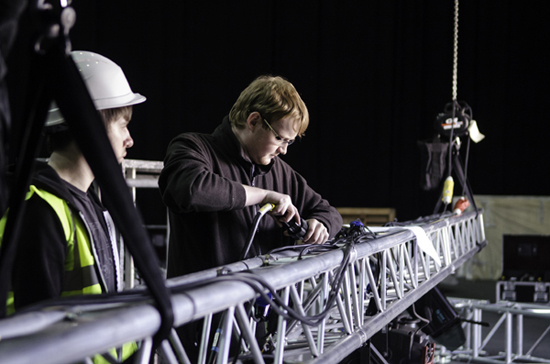
    Here at Chauvet Professional, we love to help the next generations of budding lighting designers, technicians, and touring professionals learn their respective crafts!  Students at Wakefield’s Backstage Academy in Yorkshire, UK, benefited from a donation of four CHAUVET Professional Q-Wash 560Z-LED fixtures, which offered them the opportunity to really get some hands-on moving head experience.  The moving washes integrated by the students at the Backstage Academy into one of the school’s main lighting rigs.

    Product specialist for Chauvet UK, Sam Bowden said: “Chauvet is a great believer in the talent of the future, and frequently hires staff who have just completed technical courses. We feel it is essential to support and aid the fresh blood coming into the industry not just to continue to push live events forward in terms of the product available but also to see the unique and varying ways that people use it.”

    Backstage-blog-1

    Backstage-blog-2

    Backstage-blog-4

    Backstage-blog-5

    HUGE News, Chauvet Opens A West Coast Branch and Showroom!

    Great news from CHAUVET — we’ve opened a West Coast branch in Sun Valley, CA!  From the press release:

    CHAUVET, a leading global supplier of entertainment lighting and trussing, announces the opening of a California-based branch office and satellite distribution center in September. Technical support, training and demo programs serving the US western region will be handled from the California facility, which is expected to be fully operational in November; all main brands under the CHAUVET umbrella are represented, including CHAUVET Professional, CHAUVET DJ, ILUMINARCand TRUSST.

    CHAUVET is actively recruiting quality control technicians, lighting techs and administrative personnel to complement an existing California-based team that includes John Dunn, western sales territory manager for the CHAUVET Professional and ILUMINARC brands and Todd Runkle, western sales territory manager for the CHAUVET DJ and TRUSST brands.

    The state-of-the-art facility is strategically located at 7555 N. San Fernando Road, Sun Valley, CA, offering immediate access to the 5, 134, 101, 170 and 118 freeways, and in close proximity to major studios and to Los Angeles.

    Besides facilitating faster technical support and a stronger partnership with CHAUVET dealers in the west, the center will also handle some warehousing and distribution.

    “CHAUVET already has the fastest distribution in the industry,” CEO Albert Chauvet said. “Having our own California facility will allow us to be even more efficient and cost effective, particularly in shipments to our TRUSST customers on the west coast.”

    All other USA operations and a majority of global operations continue to be  handled from CHAUVET’s global USA headquarters in South Florida, while CHAUVET Europe, based in the United Kingdom, services Europe.

    Tech Talk: Keep Your Movers Moving

    Mike Graham comfortable in the spotlight.

    Mike Graham comfortable in the spotlight.

    Written by Mike Graham, product manager for CHAUVET Professional.

    Broken lights are a nightmare. Moving lights are more so because they are complex machines that seem to never break down in an easily accessible location. Unless you have a magic wand in your toolbox, you will encounter broken moving heads somewhere in your lighting life.

    An ounce of prevention:

    Firstly, in order to try to keep lights from breaking, preventative maintenance is a great place to start.  Developing a regular schedule of checking under the covers will help you head off problems before they come up. I typically suggest a quarterly inspection for normal usage, if you are on a tour or in a club situation, then a monthly inspection may be a better plan. A few things to check for are the following:

    Check belts. Are all of the belts tight enough and do they look worn at all? Belts should look almost like new all of the time. They should not show any signs of ripping or fraying. To make sure that they are tight enough, you should be able to twist them 90 degrees with a little force, but not much more than that. If the belt won’t turn at all, it is too tight, if it just spins to 180 degrees, it is too loose. This is a good rule to go by.

    q-wash-436ZCheck fans. Are the fans clean? If not, you can use an air hose, but make sure that you are not allowing the fans to free spin with the air hose. While it sounds cool, you are causing major damage to the fan and to the driver PCB that the fan is attached to. Free spinning fans causes electrical feedback to the PCB and will damage the brushes inside the fan itself.

    Clean optics. Is there any gunk buildup on your colors, prisms, lenses, or gobos? Cleaning your optics is important because you lose a ton of light when your effects are dirty. I strongly suggest using a lint free micro fabric cloth to clean off all of these components. Also, do not spray anything onto the colors or gobos. Spray the cloth. This will help to prevent spots on your optics, and also prevent overspray into the rest of the fixture.

    Check connections. Are all of the wire harnesses properly connected? Make sure that everything is plugged in tight and that the cables are not crimped in anything.

    Clean the base. Is there any dust build up in the base? This is especially common in night clubs. Fans suck in everything from hair, to smoke, to confetti. This tends to build up on top of the power supply and main PCB. Make sure that you clean all of this garbage out of the base. This will extend the life of your power supply and main PCB greatly. Remember that these items are really expensive to replace out of warranty.

    Taking the above steps will really help in extending the life of your investment.

    boxes-load-inLoad in check out:

    So, it’s 6 a.m. and your coffee has not kicked in yet, but nonetheless, you are at load in. This is when you have your last chance to check your lights before you put them someplace where a problem is going to be harder to deal with. When you take the fixture out of the case, look at it. Make sure that none of the covers look out of place. Make sure that they are also on tight. Give the fixture a little shake and listen for any kind of lose items rattling around inside the fixture. Now hang it on the truss. Plug it in and run it. This is also a good time to make sure that your pan and tilt locks are off. Even if you do not have data run to the light yet, you can check the functionality of the fixture itself. Typically, if the fixture homes properly with no error codes, it is good to go, but I like to take it one step further and make sure that the lamp turns on (if it is a discharge light) and that the shutter blades open. If it is an LED fixture, run the virtual dimmer and shutter to full to make the LED come on. In both situations, you should see a bright white light and no gobos, colors, or prisms in the field. As only as you only see a bright white light, you should be in good shape. If you can add data, this is even better so that you can make sure that you can control everything. I also like to keep checking everything as the rig is going up. A ton of things can happen to your lights during their trip up to trim. Keep an eye on your gear as it moves.

    Q-Spot 560-LEFTAnd then, the inevitable happens:

    So, something broke. Now what? Typically there are symptoms of problems. For example, let’s say that you have no control from the console to the fixture, but the fixture works fine in test or stand alone mode. It could be a bad cable or a loose connection. It could also be that the fixture is in the wrong personality, the address is wrong. On the controller side, it could be a few things there as well. Did you just update firmware in your console?  In that case, the personality could be wrong in the console. The patch could be messed up, Are you using Art-Net? There could be a problem in a router or your Art-Net to DMX box could be behaving badly. I like to check the micro issues before I check the macro issues.  The above is the order that I would check this kind of problem. Each one is quick in of itself, but depending on your crew, could take a few minutes to check. When you find out what the problem was, write it down. Keep a log of every issue you have. Eventually, you will have a database of problem solving. When I worked on ships, I kept a log of the problems that I had in each showroom. This way, when I moved on to my next ship, the incoming lighting person would have something to start with. An entry might look something like this:

    rig-moving-heads“Aug. 16, 2001 — fixture X needed lamp replacement. When the fixture was opened, not only was the lamp bad, but the base of the lamp had shattered inside of the holder. I removed the base of the lamp and found that the porcelain in the socket was cracked as well. I replaced the lamp socket. As a tip, make sure that the brand of lamp does not change. The bi-pin base of the lamp can change slightly from manufacturer to manufacturer.”

    Keeping notes like this can be tedious, but can and will save you time in the future. It also helps greatly when you are on the phone to technical support. The person you call for technical support genuinely wants to help you with your problem. They are going to ask you questions such as:

    • Where are you located?
    • Do you have a phone number and e-mail address to reach you?
    • Are you on a show right now?
    • Is the fixture still in the rig?
    • What kind of controller are you using?
    • What kind of power are you using?
    • How many fixtures do you have power-linked together?
    • How many fixtures do you have data linked together?
    • Are you using an opto splitter?
    • Are you using Art-Net?

    Knowing the answers to the above will be really helpful. Especially if you are either on a show at that moment, or are away from your lights that you are calling about.

    ldi-setupSafety first:

    If you are having any kind of mechanical problem with a light, you need to unplug it from the rest of your rig immediately. Not only power, but data as well. A bad fixture can cause you data problems up or down the line. If for some odd reason there is a bad enough problem, it is possible to get a voltage spike in the data cable that can cause your opto splitter to fry, and if you don’t have an opto splitter in line, then your console is in danger. (This is why I ALWAYS have each universe of DMX isolated with an opto splitter between the console and the first fixture) If you do have a light that is down and it is 30 feet in the air, leave it there until it is safe to actually get to it. Don’t just go climbing up the truss to replace it. Keep a rope in your road box that is long enough to pull a fixture up and drop it down. I keep a pulley in my case for this as well. If something seems like a bad idea before you do it, most likely it is.


    CHAUVET Professional Animates Performances in Ciudad de Mexico

    About 20 CHAUVET Professional fixtures lit the stage for various performances at a Jewish Center in Ciudad de Mexico. Lighting Designer Yonathan Mendelsberg of Lomas Eventos used 16 Q-Wash 560Z-LED wash lights and two Legend 300E Beam lights. More CHAUVET DJ SlimPAR Tri 12 IRC fixtures washed the stage in vivid colors.

    Centro-Judio-blog-1

    Centro-Judio-blog-2

    Centro-Judio-blog-3

    Centro-Judio-blog-4

    Centro-Judio-blog-5

    CHAUVET Professional Radiates at Entech in Australia

    CHAUVET Professional made a statement at the ENTECH 2013 trade show in Sydney, Australia, displaying bold fixtures with distributor Showtools. Our stand featured luminaires from the Ovation series of theatrical lights, COLORado line of wash lights, Nexus 4×4 pixel-mapping wash, Q-Spot 460-LED moving spot, Q-Wash 436Z-LED and more. Chauvet’s ILUMINARC brand of architectural and architainment lighting was also represented by a selection of indoor and outdoor fixtures.

    Entech-blog-pro-2

    From right, Showtools’ Robert Runko, Melissa Runko, Arian Yeganeh and Chauvet’s International Sales Director Stéphane Gressier.

    Entech-blog-pro-1

    Tech Talk: “On Tour: Tait Stages” or Watchable Reality TV

    Mike Graham comfortable in the spotlight.

    Mike Graham comfortable in the spotlight.

    Written by Mike Graham, product manager for CHAUVET Professional

    I was flipping through the guide a few weeks ago and stumbled on a reality show that cannot possibly be staged. Reason being: it’s all about building stages. “On Tour: Tait Stages” gives a pretty realistic view of what goes on from planning a show all the way to the first few load ins. The AXS TV website describes it as “a documentary series following the employees of Tait Towers and its clients with a behind-the-scenes peek into the world of designing, building, and touring stage sets.”

    While I have never tried to pull off anything as complex as what Tait Towers does every day, I can find this show easy to relate to as the process, no matter the scale of a show, is still the same. As I consider myself an industry professional, my wow factor is set pretty high—I am not easily impressed. However, I can freely admit how extremely impressed I am with how this show is put together. The access that Tait Towers allows the camera crew is pretty stunning.
    Tait Towers Bon Jovi Hexs

    Without revealing any top trade secrets, I think it is cool that they show as much as they did during the planning stages of the Bon Jovi “Because We Can” tour. Specifically, the scenic design going through revision after revision while trying to get elements built so that the build process would not fall behind. Without ruining the ending for you, they did succeed. As for budget, well, they never brought that up.

    During the Madonna “MDNA” load in, they showed how they label their scenery carts. They not only have their logo on it (so you can see who it belongs to), but also its stage location, the items that are on the cart, as well as a 3D CAD rendering showing how the items on the cart go together and how they are used in the final assembly. For me, this one bit of insight was worth watching the whole show.

    It was really cool to see how the different teams of designers, fabricators, accountants, MP900402515and clients all work together. It is extremely apparent that there are major stressors at play during the filming.  Deadlines do not change, even when the plans do. Problems come up in the real world, and they have to be dealt with before they get out of hand. Watching someone else deal with these never-ending issues is a great learning experience for all of us.

    This show gives us an inside look at the touring industry from an insider’s point of view. While watching, I am taking away from it as much useful information that I can. For someone outside of our little world, it is good entertainment and should make people realize that the show does not appear from nowhere.  It takes time and effort to make it look awesome. It is also vindication to anyone whose parents told them there is no money in rock and roll.

    For anyone with an interest in this industry — and I would assume that you do, as you are reading this technical tip — I would strongly suggest checking this show out:

    ON TOUR: TAIT STAGES – Bon Jovi’s “The Hexes” – Part 2 from Dialogue Pictures on Vimeo.

    Tech Talk: No Effect Before Its Time

    Mike Graham comfortable in the spotlight.

    Mike Graham comfortable in the spotlight.

    Written by Mike Graham, product manager for CHAUVET Professional.

    Building up anticipation is a powerful tool. You hear it in music with the lead up to a crescendo, you see it in a suspense movie, you read about it in great works of literature. But…you are supposed to also see it in lighting.

    I. Start small, go bigger:
    One of the things about a great light show is to create a sense of anticipation in the audience. The key to this is to not give away all of your tricks in the first 10 seconds of the show. Take your time. Bring in effects slowly over the course of a show. I’m not saying to make the beginning of your show boring. On the contrary, make it dynamic with moving heads with sharp focus and no gobos positioned at contrasting angles. Use your static fixtures in primary colors. If you are using video panels, keep the content basic. As the show goes on, start adding in effects slowly. Add in gobos to the movers, start using mixed colors in your pars. Always hold something back to be used at the right moment. Having spinning gobos and prism wheels for the entire show is going to get really old quickly for the audience; however, using it when it makes sense is really effective.

     VeeLounge-sp2II. Effective effects:
    Adding effects when the time is right is really important. If a song does not call for a strobe effect, don’t use it. You have to make sure that your design ideas make sense. For example, having massive color changes and your moving heads in an offset can-can for a dramatic slow song is a really bad idea. However, you can do a nice blue stage effect with some red or purple overtones — this will look really nice. Add in a few break-up gobos on the backdrop and now you have something really sweet. If you are covering “Pinball Wizard,” then having the movers going crazy with massive color changes makes perfect sense.

    VeeLounge-sp1III. Cue structure:
    Cueing is really important. Or at the very least, make sure that you know what material you are lighting, so that you know when to make a change. For the lights to match the subject you are lighting, you have to have motivation from the stage colors to change. I’m not saying that the cues have to be predictable, but if your talent is standing stage left, making the lights move to stage right is not a good idea. You have to wait for the time to be right. Hitting “go” at the wrong time can really mess up a show. This is particularly true for magic acts, acrobats, and jugglers. If you mess up one of their cues, it could mean a trip to the hospital. Again, anticipation of a lighting change is a powerful thing. You are creating an imaginary experience for the audience. It is up to you to accent what is happening on the stage. The light has to convey the right message to the audience and it has to match the action on the stage.

    VeeLounge-sp3All in all, the idea of good lighting is to make sure that something that is happening on stage motivates you to create a lighting look. Using that motivation will ensure that you have created a design that will make the audience appreciate the show that you have worked so hard to design. Let the show content guide you in your design and you will almost never be wrong.