
    NZ trip: Day 4, Christchurch

    Written by Mike Graham, product manager for CHAUVET Professional
    After getting settled in the hotel and getting a good night’s rest we are off to breakfast. It is also Waitangi Day. Waitangi Day is the anniversary of the signing of the Treaty of Waitangi between the Maori and the settlers. Depending on which side you are on, you can see this as a holiday or not. Since I got hit with a 15% Waitangi Day surcharge for breakfast, you can probably guess what side I am on. We took a walk around the downtown area of Christchurch.

    Mike and Annie

    Me and Annie, photo by Connor Graham

    Annie and Connor

    Photo of Annie and Connor sitting in a chair carved from a tree trunk.

    Christchurch is the third largest city in New Zealand and is the largest city on the South Island. It was recently rocked with a 7.1 earthquake and has had over 4,000 aftershocks since then. As you can imagine, there was quite a bit of property damage.

    Building in Christchurch

    Many of the stone buildings around Christchurch have seen massive damage to them from the earthquakes. This is one of the buildings at the Arts Center that is being repaired.

    So anyway, back to the story.  After our walk around town, we took a ride out to see the family. The 18-hour time difference was crushing Connor. He fell asleep early which was a good thing as he and Annie were on their way to Sydney, Australia for the next two days to visit her brother Anthony. I was also going away the next morning to Auckland to visit two rental houses and one architectural lighting design firm.

    NZ trip: Day 1-3, Getting there

    Written by Mike Graham, product manager for CHAUVET Professional

    AA Advantage card

    This is a photo of my AA Advantage card. There are many like it, but this one is mine. By the end of this trip, this and two others like it are feeling pretty full.


    For anyone who has traveled extensively, you know when you are traveling with a small child, everyone in the gate area is hoping that they are on the opposite end of the plane from you.  The truth is Connor is a really good flyer. As a matter of fact, he is better than some adults I usually travel with.

    Connor

    This is a great example of how I wish I could fly.

    The first flight to L.A. was a breeze. When we got on the plane, we were a little worried that there was no TV in the seat backs, but Connor was happy to read and play with his Star Wars collection. Between flights, we got off, got some food, kept him awake, and then got on the next flight.

    Air New Zealand has just gotten new Airbus 333 planes. The business class seating looked great, but that was not where we were going. To the back of the Airbus for us. Connor slept for about six to seven hours. Not bad. Finally after crossing both the equator and the international date line, we were in Christchurch, New Zealand.

    Lighting in the Land of the Long White Cloud

    Mike Graham, product manger for CHAUVET Professional, recently took a 14-day trip to New Zealand. The indigenous Māori name for New Zealand is Aotearoa, commonly translated as land of the long white cloud.

    Mike primarily went for a family vacation, his wife being a native New Zealander, but he also visited a CHAUVET dealer, MDR Sound and Lighting Ltd., and some other lighting companies along the way. Thankfully, he documented his trip and allowed us to go along for the ride. Take a moment to enjoy this virtual trip, no passport required.

    But first, a few words from Mike.
    “First, let me say traveling all the way to New Zealand is a feat of enormous proportions. The preparation that goes into such a trip is exhausting enough to warrant its own vacation. I have to give a big thanks from the top to my wife, Annie, for all that she did to make sure everything was in order before we left. She took care of all of the bills, making sure we had enough money put aside and the mail was stopped, packing, laundry, and lastly dragging myself and Connor, our four year-old son,  on one really long string of flights. (Which by the way could also warrant a vacation.)

    After I left New Zealand, she and Connor stayed behind for an additional week. This is noteworthy because of the 6.3 earthquake that hit on February 22, 2011, almost the exact center of Christchurch, NZ, where our vacation was centered. My wife and son were there when the quake hit. Both are fine.

    I also want to thank Angie Steffer from Protravel International. Her help in making sure that all of our travel requests and needs was instrumental in making sure that we got there and back in one piece.”


    Tech Talk: How to Master the Art of Busking

    Written by Mike Graham, product manager for CHAUVET Professional

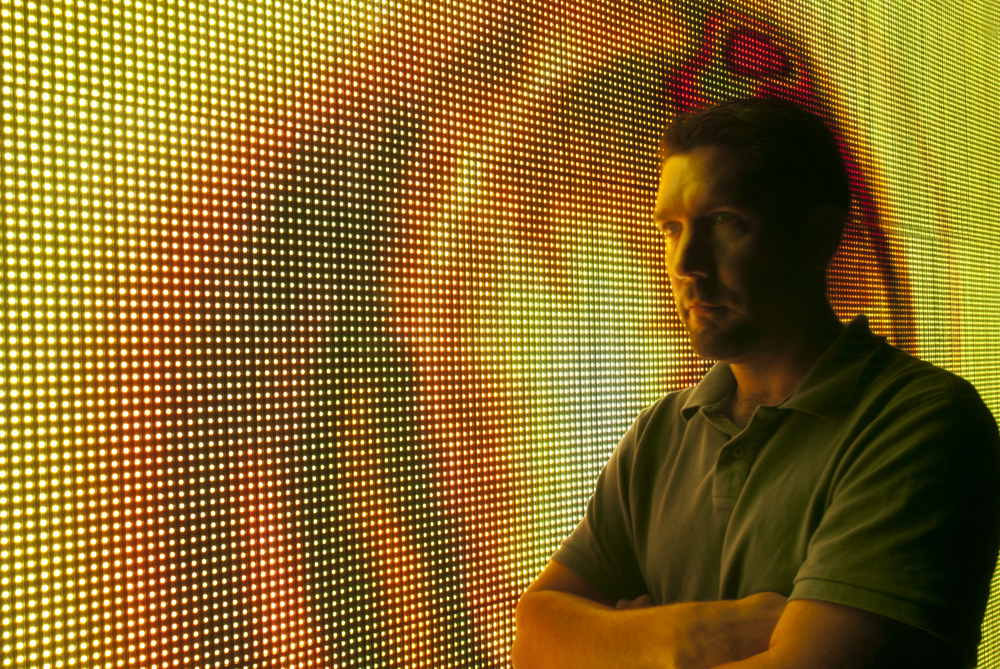
    Mike Graham looking pensive in front of MVP video panels

    We all prefer to walk into a show that is totally programmed and ready to rock. We love it when there is actually time to program a show during the rehearsal stage of the production and have a clear and concise cue list. It’s even better when there is someone there to actually tell us when to press “go.” Personally, I put the chances of having all of the above on the same level as seeing Elvis do a tour again. In today’s world of budget cuts and lack of rehearsal time, we find ourselves having to make things up as we go—also known as “busking.” If you are new to busking, here are some tips to help you be in control while everyone else around is losing it.
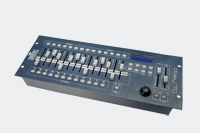
    1. Know your controller! This is the most important tool you have. If you are using a fader board and a bunch of par cans, you don’t have a problem—just know your patch and how to get around quickly. If possible, keep a “punt look” on a cue button. The “punt look” is a go-to look you can use in case of emergency. If you are using a larger format console, I always have a library of preset looks I can drop to at a moment’s notice. This consists of a few solid colors and a few complementary colors for the static wash lights, as well as a few effect looks for the moving lights to work from. Still, I have a “punt look” that keeps the stage lit between songs. You need to know how to get to your looks easily and quickly so you don’t look bad. The way you set up your controller will make or break your show. You don’t want to accidentally hit the high-speed ballyhoo and strobes during the juggling session. It will be funny for you, but not so much for the juggler or the people in the first, third or fourth rows.
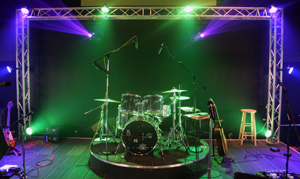
    2. Know your rig. You need to be totally aware of the functionality of the lights you are using. If you are using a Legend 300E Spot, you need to know the CTC is on the color wheel and not in the CMY. You also need to know if you are using COLORado 1 TOUR and COLORado 1 IP units together; one of them has white LEDs and the other does not. Most importantly, you need to know where they are patched on the console. Refer to tip one.

    3. Know the expectations. Ask the person(s) “in charge” of the show what they expect to see. If it’s a concert, they will hopefully have a playlist of songs. If it’s some other kind of event, you may not even have this to work with. Try to get a feel for the show or event to predict what your audience wants to see. When you are setting up your libraries in the console, it’s critical to have all of the information from the client so you can match the looks you build with the client’s vision.
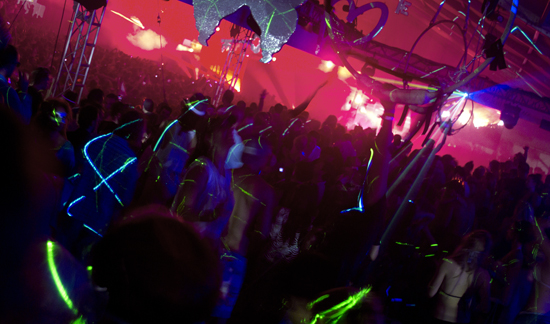
    4. Remain flexible. Know your equipment and relax. You can’t busk a show if you are tense. As long as you have taken the time to research what each one of your looks does, you will be able to feel out what you are going to use and at what time. If you are doing a wedding for example, you know that at some point they will do the “Chicken Dance.” If you know this, have a look for it prepared. If you are doing a cover band, you know at some point they are going to attempt “The Final Countdown,” so have some looks for that. The key is to try to anticipate what is going to happen next and to flow with it. Again, refer to tip one.

    5. Don’t panic if you make a mistake. Remember that “punt look” button? It’s there to save you when you make a mistake. This look should not have anything moving and should be as neutral as possible. It is your total get-out-of-jail-free card. (Check out tip one for a refresher on why console layout is important.) If it makes it easier, put some glow tape on that button key so you know where it is. The most important thing is to make sure the stage won’t go black. A black stage is a fairly obvious sign you just blew it.
    6. Prepare to multitask. For those of you who are busking and calling spotlights at the same time, first lay off the caffeine early in the day–you are going to be stressed out enough. Second, prior to your show let it be understood that in the event of a communication breakdown, you are going to spot the person talking or singing into the microphone. In the absence of that, hit the guy doing the solo. Never spot the drummer. Never spot the juggler while juggling. It may be funny for you, but it won’t be for the juggler.

    7. Be part of the feel. Every event has its own feel to it. Don’t walk in blind. Have as much information as possible before sitting down behind the controller to start setting up your looks. Know the target audience. Chances are you will be sitting in the middle of them and you can gauge what the general speed of the show will be. If you look out and see a lot of freaky tattoos and pierced faces, then any kind of moving light show will do as long as it’s fast and bright. If you look out and see room full of walkers and blue hair, you know that you will need to keep the lights on the stage.

    Even when we make it up as we go, we should still use some guidelines. You may not have an exact plan as to what the show is going to look like, but at the very least, with the tips above, you can feel comfortable managing the outcome. The overall key is to stay relaxed and not to panic. Practice busking as often as you can. It is a skill we all need to keep honed to a fine point and practicing it will give you nerves of steel.

    Tech Talk: Quick Guide to Proper Light Maintenance

    Mike Graham pensive in front of MVP video panels.

    Written by Mike Graham, product manager for CHAUVET Professional

    The key to maintaining long-lasting lights is keeping them clean and properly lamped if they are not LED fixtures. It’s important to keep all of your lenses, gobos, and reflectors as clean as possible.

    1. How to clean: Use something with a high alcohol or high vinegar content, as both tend to evaporate quickly. If you have a layer of grime on your lenses from pyrotechnics, dust or oil based fog fluid, spray some WD-40 into a small bowl and add a little rubbing alcohol to it. Mix it up and wipe down the lenses with this. The WD-40 will lift up the dirt and the alcohol will help it to evaporate. Then go back over them with a glass cleaner.

    2. What not to use when cleaning: Never spray glass cleaner into the light. This can damage sensors. Also, never use de-greaser. It leaves a film that will bake on to the glass as soon as it heats up. Do not use old rags as they may have solvents on them from a previous use. Clean cotton cloths are the best. Cloth diapers work well and are inexpensive.

    3. How often should you clean? Clean out your lights every time you re-lamp. LEDs should be cleaned every three months depending on the environment in which they are used.

    LD Profile: Chris Lisle

    Five questions with Chris Lisle
    Production designer for Miranda Lambert CMT Revolution Tour 2010-2011

    1. What was the overall vision, theme, or message of your lighting design?
    The main goal of the design was to give Miranda’s show a look that complemented her musical style, but also conformed to two major criteria: budget and truck space. It definitely made me slow down and take a hard look at what elements I actually NEEDED versus those that I just WANTED. In the case of this project, I chose fixtures that I knew would give me the looks that I was going for, and were also affordable. Miranda definitely had the final say in which of the three designs that I submitted, but she is not a micro-manager – she wants those that are around her to do what they are paid to do. So once she chose the design, the rest was in mine and Aaron’s hands. She definitely had some input at rehearsals in terms of some looks that she wanted to do, but also let us be creative as we saw fit.

    2. Why did you choose the products you did?
    There are different things I like I about each of the fixtures that I chose, but in the end I look at what is going to do what we need it to do within our budget. I also like to choose fixtures that are road worthy and wont end up being a repair/technical nightmare for the techs.

    3. What special challenges did you run into in this design?
    The biggest issue we was time. We had 28 songs to get into the console in less than a week. There were a lot of long nights and coffee involved, but we pulled it off!

    4. Do you have a favorite fixture (and why)?
    I became a huge fan of Legend 300E Beam fixtures on this tour. We use them on the floor to create aerial looks that punch through the color washes coming from the fixtures in the air. We found these lights to have great optics that allows a good concentrated beam of light. The effects wheel in them is great as well and allows for some great looks. From a technical end, these fixtures are very light weight and easy to manage!

    5. What was the most rewarding part of designing this tour?
    The most rewarding part of this tour was definitely seeing almost six months of work come to life. You look at a design on paper for months and months, then one day you stop by the lighting company and they have truss laid out, then the next week the truss is hanging, then a week later you are in rehearsals programming, and then the first night of the tour. It is my favorite part of the process on that opening night when it all just comes together.

    Read more about Miranda Lambert’s tour here.
    And watch this interview.
    [youtube=http://www.youtube.com/watch?v=ubj8PD8XyxU]

    Tech Talk: How to Choose the Right Lamp

    Written by Mike Graham, product manager for CHAUVET Professional

    Mike Graham pensive in front of MVP video panels.

    Most lighting manufacturers suggest using their recommended replacement lamps. A cheaper replacement might be tempting, but you may not be pleased with the results. A lot of research and development goes into producing a professional fixture long before it comes to you. Time is spent deciding on the colors, gobos, DMX layouts, among other crucial choices that determine a luminaire’s features and benefits.

    1. It’s all about the lamp. One of the most important decisions manufacturers take is choosing the lamp the fixture will be designed around. Manufacturers pick colors based on the lamp’s color temperature in order to get the best color saturation. Discharge lamps usually burn between 5,600K and 7,000K depending on the brand and the wattage of the lamp. If, for instance, the color red is selected and is not saturated enough, it will appear pink. This goes for CMY color mixing as well. Too saturated – you’ve got the wrong color; not saturated enough – still the wrong color.

    2. What if you use another manufacturer’s lamp? A lamp of a different brand should work just fine. Everything remains the same: the wattage, the temperature of the burn, the bulb size and the pins are the same. However, the lamps of a different brand have slight variations in the sizes of their bulbs – slightly larger or smaller – that can negatively affect the output colors or even cause the lamp base to break.

    Check out the photo at left to see why lamp choice is so important. These two lamps are double-ended 575W and are supposed to be interchangeable. However, since the bulb is different, it may cause damage to the light base or change the output.

    As a rule of thumb, it is best to always use the lamp that the manufacturer recommends, knowing know you are going to get the optimal performance out of your investment.

    Tech Talk: Learn How to Measure the Lux

    Mike Graham pensive in front of MVP video panels.

    Written by Mike Graham, product manager for CHAUVET Professional

    LED technology brought many advancements to the lighting world. The ability to use 30 COLORado 1 units off of one 20Amp circuit is amazing and was unheard of until a few short years ago. Who would have thought that we could stop changing lamps and cutting gel for PAR cans? LED technology has left us with a few problems though, one of which is measuring the brightness of its light products.

    1. Did you know? While lux and lumen readings depend on seeing a full spectrum of visible light, LED fixtures do not produce the full spectrum. They only produce spikes of color. Those spikes reside in the red, green and blue zones of the color spectrum. This causes light meters to give inaccurate readings due to the missing information.

    2. Know how to read the lux. When comparing the lux of a PAR 56 MFL and a COLORado 1, for example, the problem becomes apparent. At full white, the PAR 56 is 17,800 lux at 1m, while the COLORado 1 with a 15-degree lens is 11,862 lux. The difference can be attributed to the missing portions of the spectrum. When you look at individual color, the truth comes out. In red, for example, the COLORado 1 is 4,045 lux. The PAR 56 is 2,560 lux. Now we can start to see the misleading lux readings. The LED fixture is going to be brighter in the red, green and blue because those are native colors to the light. The PAR 56 must have a gel added to create these colors.

    3. Conclusion. The moral of the story is to be careful when looking at the lux readings of LED fixtures. Lux readings are not the whole story and most likely were taken when the fixture had all of the LEDs on. When you have clients who demand the old PAR can because the lux is higher, let them know that it’s not all about the lux – their eyes should be the judge.

    Tech Talk: How White Is Your White?

    Mike Graham pensive in front of MVP video panels.

    Written by Mike Graham, product manager for CHAUVET Professional

    Color temperature has become a benchmark that is used to determine how bright a lamp source appears to the naked eye. In architectural lighting, the color temperature tells the lighting designer which white is right for a given application.

    This is a diagram from inside the chromaticity space. It shows the range of color temperature inside the range of white. The measurable range of white is between 1,500K and 10,000K.

    How do we measure color temperature? Color temperature is measured on the Kelvin scale (K). The Kelvin temperature number is determined by comparing the light source’s chromaticity with that of an ideal blackbody radiator. The temperature at which the heated blackbody radiator matches the color of the light source is the color temperature for that source.

    Different applications call for different color temperatures.
    •    In architectural lighting the typical range of color temperature is between 2,800K and 5,000K. These are the levels of white with which people are used to working and living.

    •    In theater, a typical stage is lit between 3,200K and 3,400K. Theatrical paints and costumes are created with this range of color temperature in mind.

    •    For the big shows. The advent of discharge lamp sources upped color temperatures to the 5,600K to 8,500K range depending on the lamp that is being used. These higher color temperatures help us create the huge light shows and make the bright looks that cut through all of the other action in a rock show.

    So, when you are working on an installation, production, corporate event, or any other kind of lighting job and the client asks for white, you are totally justified in asking, “What color temperature?”

    Tech Talk: AMX to MPX and DMX

    Written by Mike Graham, product manager for CHAUVET Professional

    Mike Graham pensive in front of MVP video panels.

    1. What is AMX? More commonly known as Multiplex or Analog Multiplex, AMX 192 was devised to multiplex up to 192 analog dimmer levels down a four-wire cable. There are thousands of installations that still utilize AMX protocol because the dimming systems they were plugged into were built like Mack Trucks and endured.

    2. The transition to DMX. Boxes to convert DMX into AMX were developed in order to avoid problems with the control. As technology began to become less expensive and started to filter into the lighting world, a new protocol was needed to handle larger dimming racks and moving lights. DMX-512 superseded AMX 192, but it came with its own sets of headaches. No standard existed in how DMX protocol was delivered to fixtures. Each manufacturer had its own method. This left smaller companies that made basic dimming and control in the lurch.

    3. What is MPX and why use it? Several manufacturers began to use a system called Multiplex – a touch of both DMX and AMX. Others used their versions as MPX. So here we are with all of these smaller controllers out there with Multiplex outputs sometimes sitting right along a DMX-512 output.

    When trying to answer some overwhelming questions such as, “What port do I plug into?”, or “How do I keep from ruining a fixture because multiplex puts current down the line?” follow this simple rule of thumb: if you are using like control with like dimmers, Multiplex is the way to go. If Multiplex is all your controller puts out and you want to control intelligent lights, you need to get a new controller.