Blog Series: Lighting Education

    Richard Cadena talks high voltage at CHAUVET HQ

    Academy of Production Technology: Day one. What is electricity?

    The scope of the first day was about entertainment electricity and electrical theory. For example, how to measure current, voltage, wattage, calculate phase angles, Ohm’s law and AC and DC power.

    There were quite a few ‘did you know?’ moments as well. Did you know you should look for a fixture with a power factor of one? Did you know that Thomas Edison made his own filament by baking bamboo until it was black? Did you know air is a good insulator? Did you know New York City’s Broadway earned the nickname “The Great White Way” because it was among the first electrically lighted streets in the United States. Did you know the band AC/DCgot it’s name from alternating current/direct current seen on a household appliance?

    Mike Graham and Ford Sellers (L to R)

    Naturally, this is only a fraction of what was discussed and does not begin to outline the detail and structure of this class. Nor does it remark upon how Cadena’s teaching style is equal parts thorough and easy-to-understand. Hopefully, it suggests that learning about electricity can be fun and that anyone will benefit from taking this class. Those new to the industry or more seasoned members like our own Ford Sellers, senior product development manager, and Mike Graham, product development manager for the professional line. Anyone.

    For more information about Academy of Production Technology three-day seminars, checkout their website for upcoming classes.

    Must see video show in class:


    Tech Talk: Order from Chaos

    How to Design an Impeccable Show
    Written by Mike Graham, product manager for CHAUVET Professional
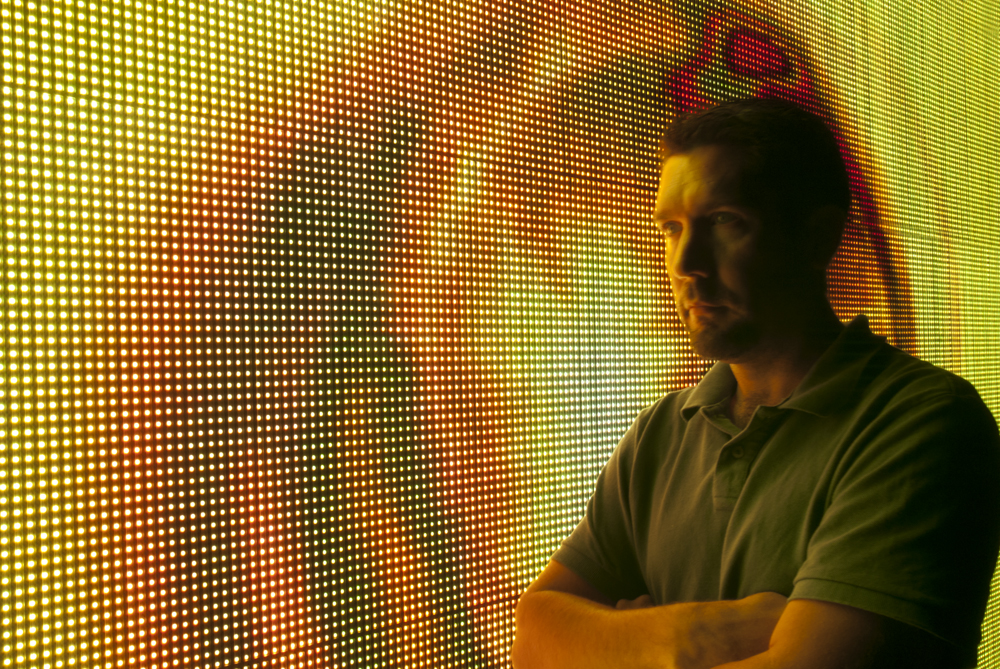
    Mike Graham looking pensive in front of MVP video panels

    In my opinion, there is only one way to design a successful show: you should have the collaboration under control and should start from the beginning. It is really easy to make the mistake of starting from the middle and trying to work in two directions. Trust me, it is easy to fall into this trap, which will only result in a messy show. Read on and see how you can keep things under control and create a solid show:

    1. What’s the story? Every show needs a story, even if it’s just something you have drafted in your head to keep everything flowing. This also helps you to have some kind of symmetry in your design; it gives you a beginning, middle and an end. All of these things are important.
    • Meet with the client, the scenic designer, and anyone else who has a say in how the show is going to look like.
    • Ask for photos or images of what they are basing their ideas from. This will make all the rest of the design process much easier.
    • Pick a visualizer that will work for you. There are tons of them out there, everything from WISYWIG, to Vectorworks and our own CHAUVET ShowXpress has a visualizer onboard.

    2. Does it all fit together? Before you pick light no. 1 to hang, you have to have the set structure done. Again, go back to your story and ask yourself how do you want it to look. This will guide you in designing the structure or truss layout for the lights. If you are working with a scenic designer, make sure that you two are in complete sync. Most likely you have both been hired by the same client, so work together. Again, you want to stay in control of the lighting portion of what is going on. Make sure that the designer’s story does not crush yours or vice versa. Get the hanging structure approved before you move to the next step. Make sure you have some ideas on lighting positions, but don’t go too far ahead at this point. You are going to be really upset when you think you are all done only to find out that the client has some different ideas.

    3. Get the scenery ready. Truss is all done, now what? Before you choose your lighting positions, take scenery into account.
    • Plot out the video before you plot out your lights. I include video wall and video projection into scenery and the last thing I want to do is block the video panels with a bunch of lights. This will make for a very cluttered look and it won’t make good visual sense. I try to frame my video with lighting. This way, I have plenty of room to work with both. Video and lighting can play well together and it’s easy to see when someone forces the issue and has overdone one or the other. (I would like to point out how well Roger Waters’ The Wall Live tour looked. Everything was working together.)
    • There must be balance. Without a good balance between the two, we have serious issues. To keep the balance, it is important to make sure that all of your scenic elements are positioned in such a way that you can either light or not light them. You don’t want to throw light on something that should be in shadow and the other way around.

    4. Plot lights wisely. Keep in mind as you plot, that drawing a light onto a rig takes about a second, but hanging that same light on the rig can take much longer. My first, larger shows had well over 400 fixtures. I have learned how to have less lights, but be much more effective. It all goes back to the truss layout. How does the story start? We are in the middle of it now. How are we progressing? Does it all make sense?
    • Every light has to have a purpose. Think of them as characters in your story. There are leads and supporting roles. Movers are typically leads and statics are supporting characters. You don’t need a ton of leads, and your support cast should not upstage them, but are still really important in how they are placed. (If R5 D4 didn’t have a bad motivator, R2 D2 would have stayed with the Jawas. That would have made Star Wars really short.) Put your bigger movers towards the outside of the set.
    • Think in layers. Think about how a Legend 1200E Spot works with field of wash lights. Design from the back to the front or from the front to the back. Pick one. Don’t try to work in two directions. You can also work from the center out, but that does not work to well for me. Pick a good truss warmer. I like to use COLORado 1 TOUR and COLORado 1-Tri TOUR lights for truss warmers. COLORdash Par Tri is a great option for Euro- and DJ-style truss where the COLORado fixtures won’t fit.
    • Keep track of weight loads, data runs and power runs while plotting your lights. Also this is a good time to make sure you have the power requirements taken care of.

    5. Final approvals. Before you start ordering everything, get the final thumbs up from your client. The best way to do this is to turn on some lights in your rendering and give them an idea of what they are going to see. This is a visual business. You have to show your work.

    6. Build up. The key here is to run the show, not to let the show run you. As long as all of your paperwork is in order, this should not be too painful. There are always some bumps and changes, but if you are prepared, this is not a real problem. I have been in situations where I have had to cut lights, cut fabrics, cut truss, and even once or twice, had to cut steel pipe with a hack saw. All of this is not a problem as long as you can adjust to on-site demands. Communicate with the crew. Make sure that everyone knows his jobs and goals throughout the building process. If you are programming make sure you have a comfortable chair, plenty of snacks and a good solid hook-up for coffee.

    Start at the beginning with a bare stage and then work your way down. Don’t do a light plot before you have the hang structure, scenic design and most importantly, the approvals on everything in writing. All in all, you should be ready to rock by now. Send us some pics of your shows, you at the controls or of your load-ins. As long as they are all in good taste, they will find a place on our professional blog!

    CHAUVET and PLSN Student Reporter Search

    We’re looking for a student reporter to go toe-to-toe with PLSN Editor Justin Lang at this year’s LDI in Orlando. Read the full story here.

    UPDATE. Check out this video from PLSN’s Justin Lang, taken at PLASA 2011. In it he, Berenice Chauvet (VP) and Ford Sellers (Senior Product Manager) demonstrate what they are looking for in a student reporter.
    [youtube=http://www.youtube.com/watch?v=gkZrSj8PO3A]

    Mexico trip: TV Azteca

    Written by Mike Graham, product manager for CHAUVET Professional

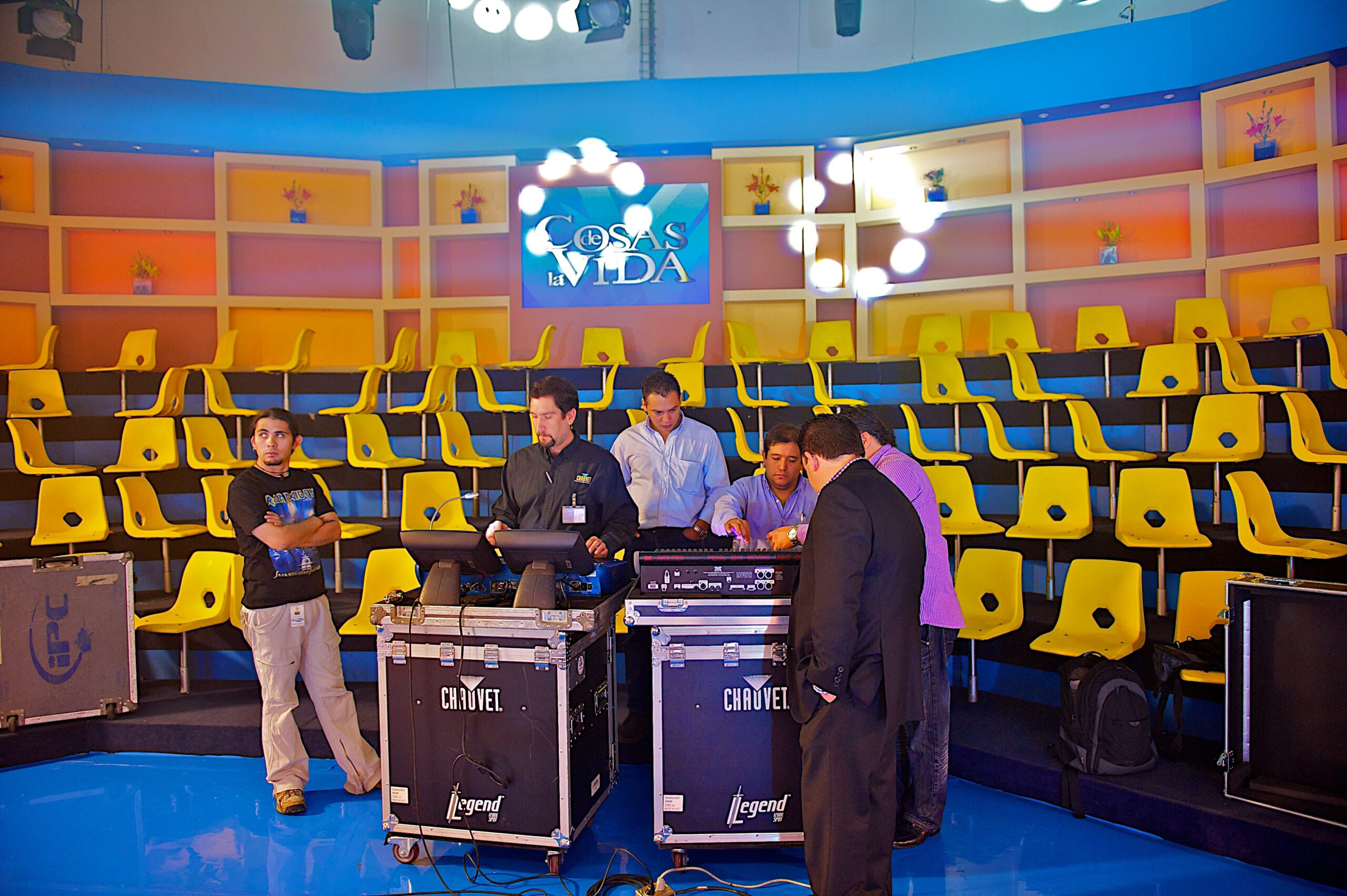
    I was in Mexico for the day to show our Legend Series to TV Azteca. I trained them on three fixtures from this series: Legend 1200E Wash, Legend 1200E Spot and Legend 300E Beam. Take a look at some of the behind-the-scenes shots Stéphane Gressier, global sales director for CHAUVET,  took below.

    Me between two Legend roadcases.

    On set.

    On set. (I’m at the end of the Legend line.)

    TV Azteca exterior shot.

    Tech Talk: The MVP System in a Nutshell

    Mike Graham looking pensive in front of MVP video panels

    Written by Mike Graham, product manager for CHAUVET Professional

    …And there was video, and it was good…

    CHAUVET has entered the video panel world with our release at InfoComm in Orlando this year. MVP Series of modular video panels has already started to buzz right out of the gate. (Honestly, we could not be any happier with the immediate response that we have gotten.) This month I thought I would break down some of the video jargon you will start to see in our literature as well as hear by our sales team.

    MVP installation and operation is actually easy

    Before we get into the video person to lighting person translation guide let me first say that MVP installation and operation is not scary at all. We have taken our time and have made sure to make this as easy as possible. If you ask the crew we worked with at InfoComm, they would pick the MVP panels over lights any day of the week and twice on Sunday. Also, they would rather hang them. This is because they are lightweight, the rigging hardware is easy to use and all of the cabling is done with Neutrik powerCON and etherCON connectors. How simple is that? No strange proprietary connections that you can’t find on the road, just easy to use connectors that are available at any boxed goods store in our fine industry.

    Four concepts of video you should definitely know

    So, let’s say you are new to the wonderful world of video and you want to sound like you know what you are talking about. There are four words and phrases that will go miles into making sure that you get the information you need, that will let the salesperson know that you mean business:

    1. SMD LED – Surface mount diode LEDs are used in the manufacture of the MVP panels. We use these because they are much smaller in size than other LED styles and take much less power to operate. They also have a very wide viewing angle and are very stable in their construction.

    2. Pixel pitch – Pixel pitch refers to the distance between LEDs. It is measured in millimeters. We measure from the edge of the LED because SMD LEDs come in several different sizes. If we measured from the center, it would be a mathematical mess. You might end up with two 18 mm pitch panels with completely different amounts of LEDs.

    3. Viewing Angle – Viewing angle is the area of which the panels can be seen from. This is really important to know when you are setting up your show and you want to make sure that the people sitting in the 400 section can not only see that there are video panels, but see what is on them. The MVP panels have a 140-degree viewing angle.

    4. NIT – NIT is a measurement to video people as LUX is for lighting people. It is defined as follows: the candela per square meter (cd/m2) is the SI unit (International System of Units) of luminance; nit is a deprecated non-SI name also used for this unit (1 nit = 1 cd/m2). The unit is based on the candela, the SI unit of luminous intensity; and the square metre, the SI unit of area. Nit measurement is done at the manufacturing plant and is not something that you can take your handy light meter out and measure. The higher the nit, the higher the maximum brightness of that source is.

    Getting signal to the panels is easy

    Another concern about the MVP system is how to get signal to the panels. Contrary to popular belief, there is no magic wand needed. We implement software that has been created specifically for CHAUVET to manage the signal distribution to the panels. In a basic setup, we send signal from the PC over USB to the MVP Signal Processor and then to the panels. (We will address advanced system setups in future tech tips. Stay tuned!) Once we have all of our wiring done, we configure the software and tell it where the panels are and what kind of layout we have. So for example, if I have six panels wide and five panels high, I create a grid in the hardware setup section of the software that has six panels wide by five panels wide. I then make sure that the software knows what kind of panels are out there, and then I send the configuration file to the panels. In a nutshell, it is as easy as that. All of the settings are done using one software program. There is even a playback section built into the software that is easily accessible and easy to use.

    CHAUVET will be requiring customers come to our worldwide headquarters to attend training on this system prior to using it. We want to make sure we can provide all the tools necessary to you so when you get back to your shop, installation, or wherever you intend to use the MVP system, you have a good handle on it.

    There you have it, the MVP system in a nutshell. For a lot more information, keep checking out our website as we are adding more and more details on this every day.

    If the shoe fits…

    Mike Graham, looking pensive in front of MVP video panels

    Written by Mike Graham, product manager for CHAUVET Professional

    When it comes to footwear, I am not a brand based person. I have been buying two pairs of value-oriented skateboard sneakers every six months for the past six years. I thought they were comfortable and had enough support for everything I do. This would include everything from working in the office to building trade show booths.

    About three months ago, my wife and I started to hit the gym. This meant going out and picking up some more sneakers. This time, we decided I better get something that was meant for working out. I was trying on different sneakers, my eyes were instantly opened, and more to the point, I realized I have been torturing my legs and back for the past six years.

    My new sneakers. And my tattoo.

    Long story short, I ended up getting a new pair of sneakers for work too. I got a pair of Nike LunarFly+2 sneakers. They are great for standing on concrete all day and more importantly for South Florida in the summertime, lightweight and breathable. Best of all, they were still under $90.00.

    There are a ton of different sneakers out there that are lightweight, breathable, and comfortable. I really suggest getting a pair—for the road, gym, trade show floor, and more.

    Oh yeah, there’s an app for that.  Apple App Store has an app that you can use to count your steps and keep track of you daily “workout” as you go along. Kind of cool.

    Tech Talk: Troubleshooting made easy.

    Mike Graham, looking pensive in front of MVP video panels

    Written by Mike Graham, product manager for CHAUVET Professional

    Everything breaks.
    As John Bender said in The Breakfast Club, “It’s an imperfect world, screws fall out all the time.” I can vouch for this. Not only am I a product manager for CHAUVET, but I have worked extensively in the field. The majority of my field experience was on the water—as in cruise ships. The great thing about working on those ships was learning self-reliance. We did not have a lot of support beyond our own brains and had to troubleshoot for ourselves.

    Searching the internet for answers had to be done from an internet café somewhere in Alaska, St. Thomas, Germany, or an even more exotic place like Miami. We had to be able to think on our feet and figure out stuff for ourselves. We had to take good notes so when we did finally get to a place where we could talk to someone from customer support we had all of the variables figured out. (We typically had only one shot per week to get one of these technical geniuses on the phone.) The funny thing is I can remember the names of every phone technician that helped me and I still run into many of them at trade shows. Some of them have become life-long friends.

    Break down the system.
    Troubleshooting is a critical skill we all need to have, not only in the field, but in the shop as well. The key to fast and easy troubleshooting is to break down the system to its simplest components to see what actually works. For example, if you are working on a moving light and it is not panning or tilting properly, swap the motor cables from the pan to tilt drivers and see if the problem stays with the pan. Or did it move to tilt? If it stayed with the pan, the motor is most likely the problem. If it moved to the tilt, you most likely have a driver problem. Figuring this out before you call the phone support guys will save both of you a ton of time. If it’s a color wheel, you can do the same kind of trick with the cables from the gobo wheel and vice versa. For CHAUVET Professional products, we use the same motor for both positions. It may have a different shaft length, but the motor is the same none the less. Simple things like this will save you a lot of headache.

    Back up a step.
    For a bigger system, it is the same principle: break it down to its basic components. Let’s say you have a club running three universes of DMX from ShowXpress. The last five fixtures on your third universe are not responding to DMX at all. First thing to do is eliminate every non-essential part of gear. Take the DMX cable from the output of universe three to the input of the first fixture that is not working properly. Now all five work, great! Let’s back up one fixture. Now you have six fixtures in line and everything is fine. Let’s back up one more step to the opto-splitter (you are using opto-splitters, right?).  Drop your DMX line from your controller right to the DMX input of the opto-splitter. If the problem comes back, you have a bad channel on the opto-splitter—problem solved. Swap it out.

    Change a cable.
    Let’s say we still have the same lights down. There are six lights on the line coming from the opto-splitter. Fixture one is working fine. The last five are not responding at all. You bypass the first light and find this fixes the problem. First change the cable between the first and second light. (After all, it would not be the first cable that died for no reason.) If this does not solve the problem, change the cable between the first fixture and the opto-splitter.

    The next step is realizing you have a fixture problem. Since most lights send DMX from fixture to fixture without buffering the signal, you most likely have a bad DMX socket. (At least this is where I would start the process.)

    Again, it’s all about breaking down the system to its simplest operation. When you call the technicians at a manufacturer, they are going to ask you if you have already done this. (If you have not, they are going to ask you to do so.)

    10 tips when calling for support.
    You are ready to pick up the phone and call technical support. Make sure you have the following at hand as it will help out the tech immensely:
    1. Serial number of the light in question.
    2. LOT number of the light in question if there is one
    3. What kind of controller are you using?
    4. How many are on the DMX chain?
    5. Are you using an opto-splitter?
    6. How many lights are plugged into one circuit?
    7. How many lights are daisy-chained for power to each other?
    8. What is the power level?  110, 208, or 220 volt?
    9. Is it clean power? Are you on a generator?
    10. How long has it been installed or in operation?

    All of these questions are important for the tech you’re calling (and for you) as it helps to narrow down the scope of the problem(s).  At the end of this process, I hope your problems are solved and that your show is running flawlessly.  If not, “feel free to call us back.”

    Tech Talk: How to keep up to date in a tech-savvy world

    Written by Mike Graham, product manager for CHAUVET Professional

    Mike Graham looking pensive in front of MVP video panels

    I had a meeting with an optics supplier today who was telling me he used to sell computer servers. He pointed out to me that he thought his old industry moved fast. When he got into the optics industry, and more specifically into LED optics, he really found out what fast was. The point? We all know when you buy a computer, it is already out of style and there is a newer, faster one out there. In the LED world, it is no different. It is hard to imagine, but we all know that the PAR can, beam projector, and ellipsoidal fixtures have continued to be produced with very little change over the past decades (with just a few exceptions).

    LED fixtures have changed drastically in a very short time, going from the tiny 5mm diodes to the high-powered LEDs we typically see today. While this is a good thing and keeps us all on our toes, we all must do our homework every day.

    CHAUVET launched the MiN Spot in 2007 and revolutionized the industry. Yes, it was a club light and not designed for touring, but it paved the road for things to come (such as our road-ready, LED-fitted COLORado series). Now we have the Q-Series, which has gone from an all-discharge series to an all-LED series in just under two years and continues to grow.

    We must keep up to date on new technology. For manufacturers, it is to stay ahead of development trends. For retail markets, it is to make sure they have the latest, newest gear. For rental houses, it must offer its clients the latest, newest gear with an eye on maintaining their return on investment. And for light users, make sure you have www.chauvetlighting.com set as your browser’s home page.
    Good luck, be safe and send us pictures from the road!

    Tech Talk: Four Ways to Keep Mud off Your Lights

    Written by Mike Graham, product manager for CHAUVET Professional

    Mike Graham looking pensive in front of MVP video panels

    Spring is in the air. Warm air is finally returning to the northlands and people are ready to start partying outside. Ah yes, outdoor festival season is upon us with all its glory. Mud, mud, and more mud. Cables running through mud, generators running “around” the kind of power you need, midday rain storms, wind, and my personal favorite, people throwing mud balls onstage. What are we to do to survive these rites of passage into summer? Here are four easy tips:

    1. Bag it! When you are hanging moving lights in areas that are prone to getting soaked by a passing shower, put a plastic bag over it. Pull the bags off before the show opens and you are good to go. While the show is running, as long as the lights are on, keep them on unless you are in the middle of a driving thunderstorm. In that case shut down and head for the bus.

    2. Shield it! If at all possible, shield the ground row. Keep the mud off of your strip lights. If you are using COLORado IP fixtures you are good to go. Just hose them off for the next show. If you are using COLORado Tour products, make sure that the powerCon connectors are covered if you are not using them. Also make sure that the DMX connectors are covered as well. If you are using the COLORado Batten 72 TOUR, make sure that the airflow to the fan is not obstructed.

    3. Meter it! Make sure the generator is actually working at the voltage you want it under the load you intend to use on your show. DO NOT USE home generators for powering your show. Those are fine for keeping your fridge and a few lights going at the house during a storm, but are not meant for running entertainment lighting.

    4. Check it! As in the weather before you load in. Every year we hear about someone who has set up their roof system only to have it blown down or hit by lightning. While sometimes this is completely unavoidable, the dangers can be kept to a minimum. Take every safety precaution before doing the load in. Keep an eye on the weather reports. There are a ton of websites and applications that can warn you of impending thunderstorms. If you see the sky clouding over and hear the thunder rolling in the distance, time to get off the rig.

    After your show is over and you are packing the truck, try to leave as much of the festival at the festival you can. It’s always a good idea to make sure to pack a bunch of towels so you can wipe down your cables and lights. This will save time at the shop and keep your truck cleaner. If your movers or other electronics did get soaked, make sure to get them dried out as quickly as possible. Nothing worse than putting an expensive wet moving head into a road case, storing it in the back of a hot truck, then opening it up a few days later and smelling the mold grow. Good luck, be safe and send us pictures from the road!

    So You Think You Can Light Dance?

    Mike Graham, looking pensive in front of MVP video panels

    Written by Mike Graham, product manager for CHAUVET Professional

    I will never admit to watching shows like Live to Dance, or Dancing with the Stars, or American Idol, but if I did, I could tell you the evolution of lighting on TV shows has been astounding. Since I come from a design background and can remember when people were afraid of moving lights, I can tell you it is really cool to see how the technology has finally been fully embraced. For those of us who are old enough to remember Star Search, Soul Train, or Dance Fever (It’s got a good beat and I can dance to it. I give it an eight.), you will remember it was all about a ton of PAR cans, pin spots, mirror balls, and haze.  Now look at where we are. LED video walls, huge moving light packages, LED wash lights all over the place, and fantastic applications. What an evolution in just over 30 years.